Announcements
Post, schedule and expire EDFlow site announcements for the entry page, patients, family, the waiting-room display and staff, with approved templates, a 280-character limit and link rules.
Announcements are short, practical notices, like "Parking lot B is closed for repairs. Please use lot C."
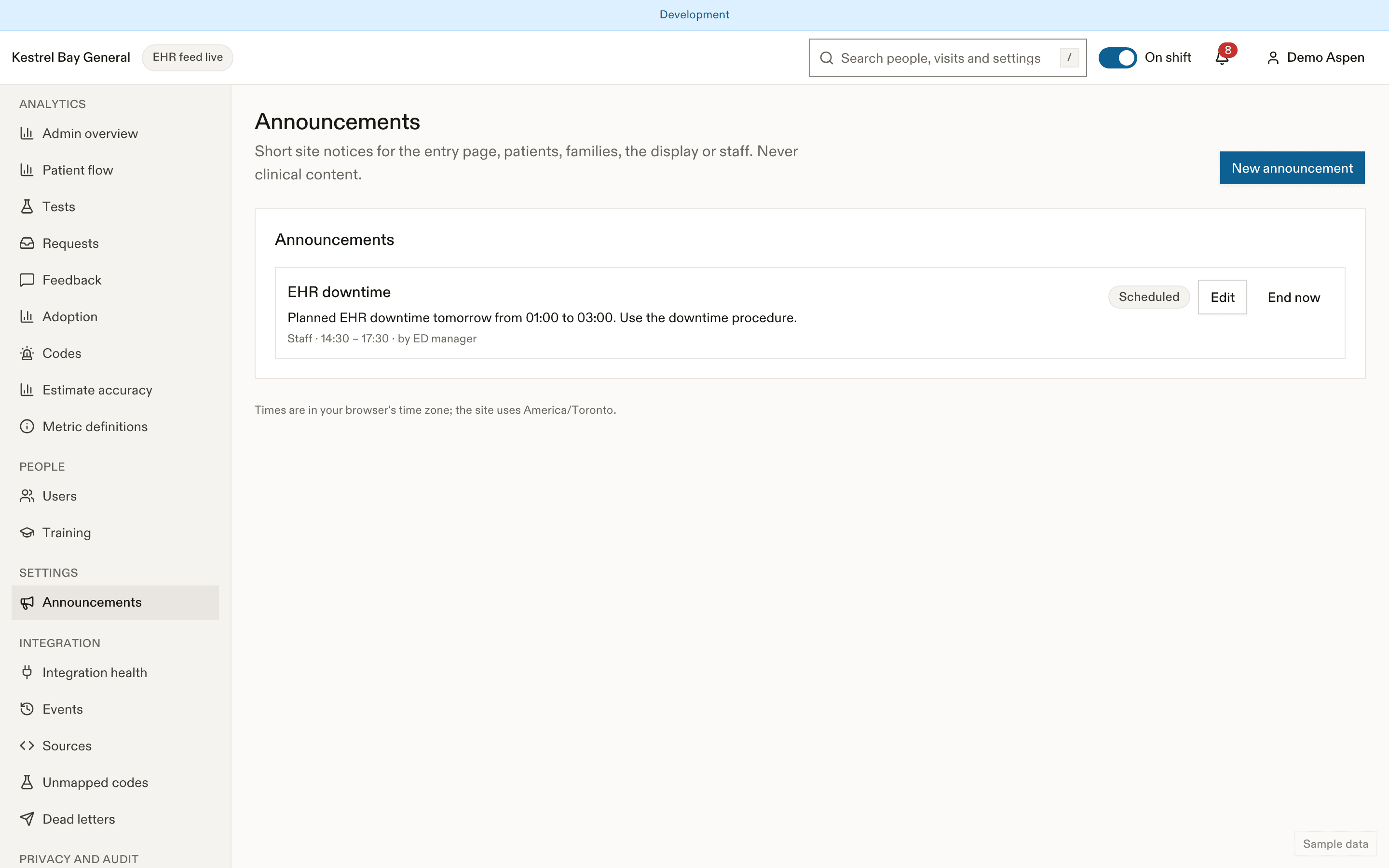
Create an announcement
- Announcements → New.
- Choose the audience: entry page, patients, family, the waiting-room display, or staff (an incident or downtime banner in the console).
- Write the title and body in English and French, up to 280 characters each.
- Choose the tone (info or warning) and the start and end times.
Rules
- Never clinical content.
- Links and phone numbers are removed unless they match the site's trusted domains or official phone numbers.
- The author's role is shown.
- A patient-facing announcement uses an approved template, or waits for a second person's approval before it starts.
- Announcements disappear at their end time on their own.
Where patients see it
In the notice area of the Visit screen (after safety notices and the busy banner), on the hospital entry page and on the display, depending on the audience you chose.
Related
Last updated on