Waiting-room display
Set up the EDFlow waiting-room display: public or key access, the official typical wait, slides, language mode, orientation, embedding, and registering big-board and print stations.
The waiting-room display is a television in the waiting room showing department-level information only: never a patient, a name, a code or an area.
What it shows
- "If you're here for care, please check in with the triage nurse first."
- The department's status in calm words (normal, busy, very busy).
- A generic notice when a code is delaying care.
- How a visit works, step by step.
- How to join EDFlow on your phone.
- "Feel worse? Tell the triage nurse now."
- Optionally, a typical wait figure.
Settings
| Setting | Default | Allowed values | What it does |
|---|---|---|---|
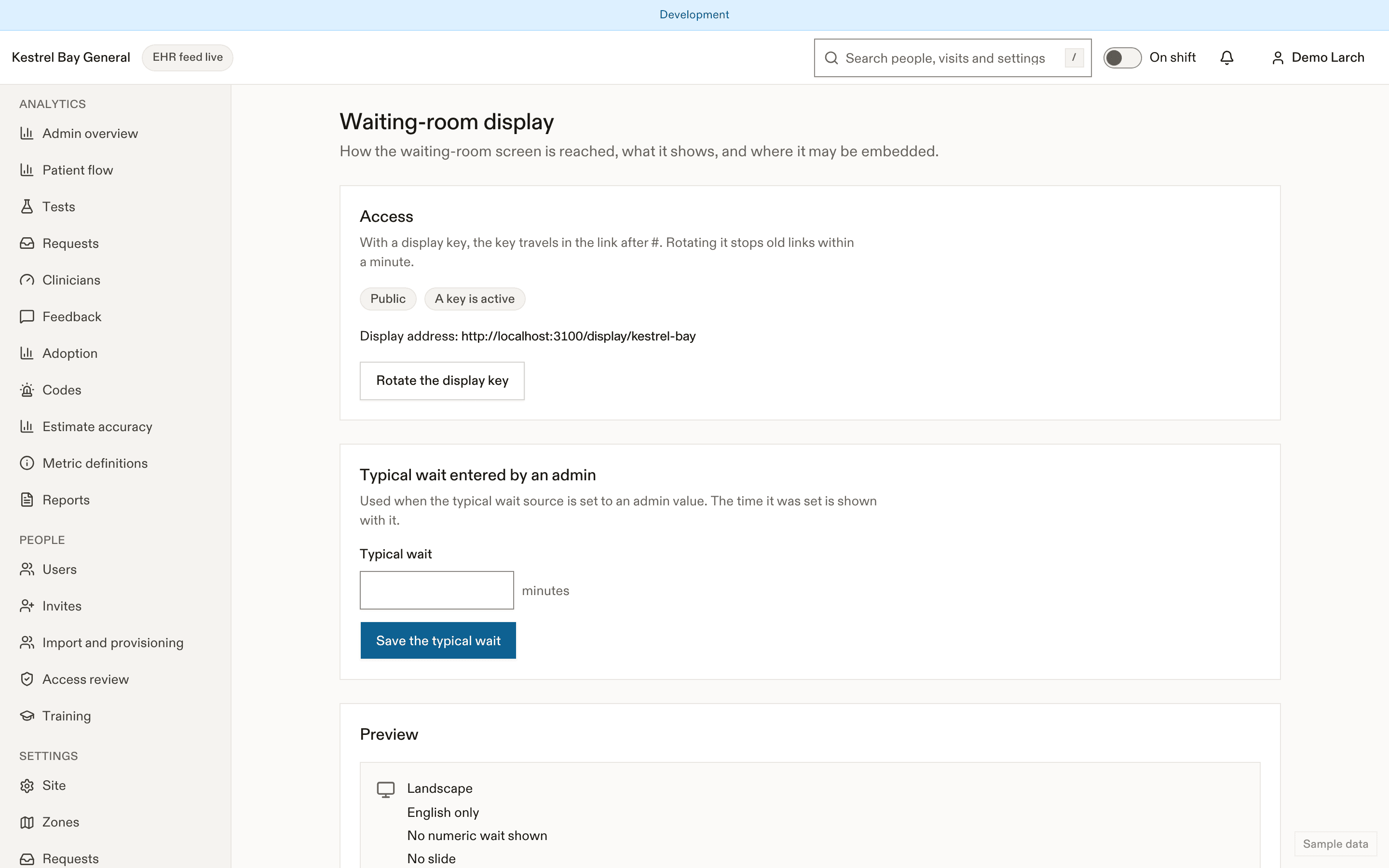
display.access | public | public, key | Waiting-room display is public or needs a display key. (Reduces privacy) |
display.showTypicalWait | false | boolean | Show the official typical wait (D-18). |
display.typicalWaitSource | feed | feed, manual | Source of the typical wait. |
display.manualTypicalWait | — | object | Manual typical wait with the time it was set. |
display.languageMode | alternate | alternate, side_by_side, english_only | Display language mode: English and French in turn, side by side, or English only (owner, 2026-09-26). |
display.orientation | landscape | landscape, portrait | Display orientation. |
display.allowEmbed | false | boolean | Allow framing by the embed origins. (Reduces privacy) |
display.embedOrigins | [] | array | Exact https origins allowed to frame the display (never "*"). (Reduces privacy) |
display.slideSlugs | [] | array | Display loop slides. |
- Access: public, or with a display key carried in the URL fragment. Rotate makes old display URLs stop working within 60 s. Switching to public needs a fresh sign-in check.
- Typical wait: off by default. When on, it shows the official figure from the feed, or a value an admin enters with its time. It's never computed per patient.
- Slides and their order, wayfinding tiles, landscape or portrait, alternate languages every 15 s or side by side.
- Embedding: only for the origins you list.
Hardware
A 1920 × 1080 or larger screen with a current browser in kiosk mode, on a network that can reach the app host. See Network requirements.
Stations
Settings → Stations registers print stations and big-board stations. Registering shows a one-time enrolment code (valid 10 minutes) that the kiosk enters; the device then holds its own station credential, never a person's session. Revoke takes effect within 5 s. Each print job and big-board view is audited with the station.
Related
Last updated on