Quickstart
Create a sandbox app, get an OAuth token, check health, send a heartbeat, an arrival and a triage event, watch the patient appear on the sandbox board, and receive your first webhook, in about 15 minutes.
This quickstart takes about 15 minutes. You'll create a sandbox app, authenticate with OAuth 2.0 client credentials, send three events and watch a fictional patient appear on the sandbox staff board. The sandbox holds synthetic data only and refuses anything that looks real.
Before you start
- Access to the developer portal as an integration developer (ask your hospital's integration analyst or your EDFlow contact).
curl, Node.js 20+ or Python 3.10+.- The sandbox base URL:
https://api.sandbox.edflow.space.
1. Create a sandbox app and a client secret
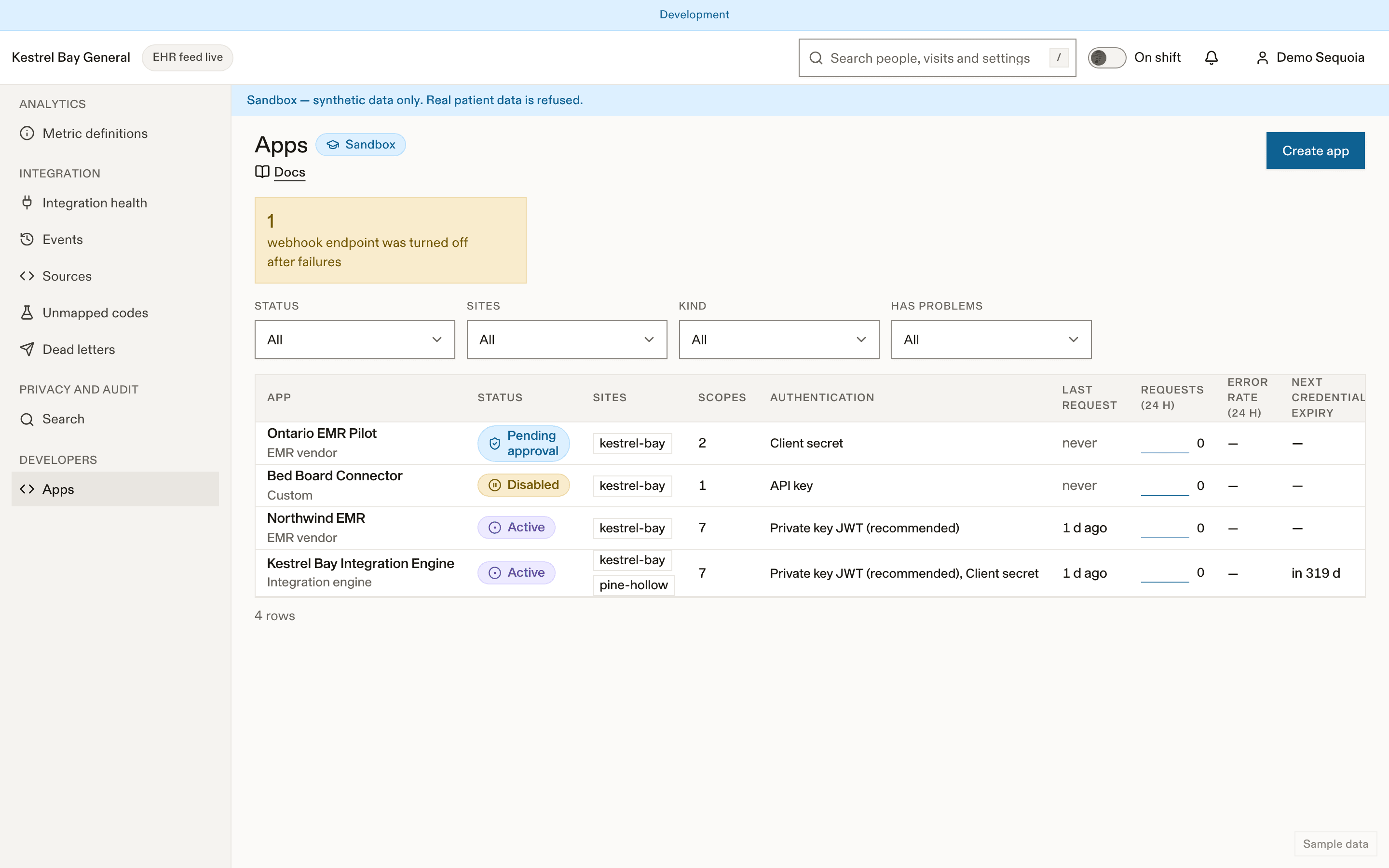
Create the app
In the developer portal, Apps → New app, environment Sandbox, preset Integration engine (scopes events:write fhir:write hl7v2:write events:validate events:read). Add webhooks:read webhooks:write for step 7.
Create a client secret
Credentials → Create client secret. It is shown once: copy it, or download the .env file, and tick "I have stored it".
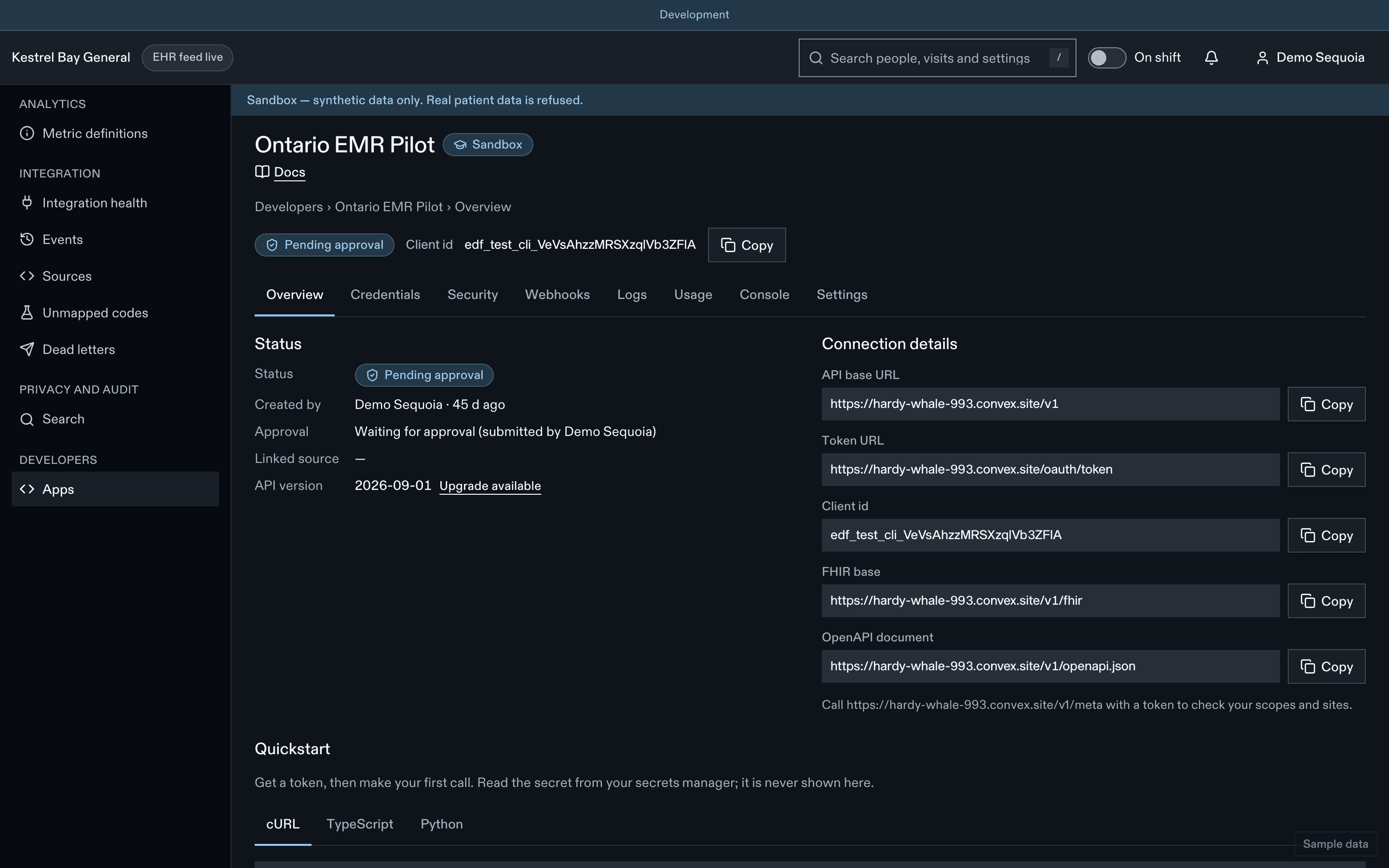
export EDFLOW_API_BASE_URL="https://api.sandbox.edflow.space"
export EDFLOW_CLIENT_ID="edf_test_cli_…"
export EDFLOW_CLIENT_SECRET="edf_test_cs_…"
For production-style authentication with a private key instead of a secret, see Authentication.
2. Get an access token
Tokens last 5 minutes. Cache one and refresh it 30 seconds before it expires, not on every request.
TOKEN=$(curl -sS "$EDFLOW_API_BASE_URL/oauth/token" \
  -u "$EDFLOW_CLIENT_ID:$EDFLOW_CLIENT_SECRET" \
  -d grant_type=client_credentials \
  -d "scope=events:write events:validate events:read" | jq -r .access_token)
3. Check health and find your site code
curl -sS -X GET 'https://api.sandbox.edflow.space/v1/health'curl -sS "$EDFLOW_API_BASE_URL/v1/sites" -H "Authorization: Bearer $TOKEN"Your sandbox organization has one fictional site per real site, with a code ending in -sbx. Use it as siteCode below.
4. Send a heartbeat
A heartbeat every 60 s keeps the feed healthy. Without it, the site shows "feed delayed" after 5 minutes.
printf '%s' '{"events":[{"data":{"queueDepth":0},"id":"kb-engine:hb:1789387331","occurredAt":"2026-09-14T08:02:11-04:00","source":{"feed":"adt","kind":"ehr","system":"epic"},"specVersion":"1.0","type":"system.heartbeat"}]}' > body.jsoncurl -sS -X POST 'https://api.sandbox.edflow.space/v1/events/batch' \ -H 'Content-Type: application/json' \ -H "Authorization: Bearer $EDFLOW_ACCESS_TOKEN" \ --data-binary @body.json5. Send an arrival and a triage
Event ids must be deterministic and stable across retries; a retry with the same id is harmless. Patient identifiers in the sandbox must start with SYN and names must be synthetic (for example start with ZZTEST), or the event is refused as phi_suspected.
curl -sS "$EDFLOW_API_BASE_URL/v1/events/batch" \
  -H "Authorization: Bearer $TOKEN" -H "Content-Type: application/json" \
  --data @- <<'JSON'
{ "events": [
  { "specVersion": "1.0", "id": "quickstart:ADT0001:0", "type": "encounter.arrived",
    "siteCode": "your-site-sbx", "occurredAt": "2026-09-14T08:02:11-04:00",
    "source": { "kind": "ehr", "system": "other", "feed": "adt", "messageType": "ADT^A04" },
    "encounter": { "externalId": "SYN3000001", "idSystem": "visit-number" },
    "data": { "arrivedAt": "2026-09-14T08:02:11-04:00", "arrivalMode": "walk_in",
      "patient": { "mrn": "SYN0000001", "givenName": "ZZTEST-Birch", "familyName": "ZZTEST-Sample",
        "birthDate": "1990-01-01", "administrativeGender": "unknown", "preferredLanguage": "en",
        "identityStatus": "confirmed", "privacy": { "confidential": false } },
      "location": { "code": "EDWR/WR01", "area": "waiting_room", "display": "Waiting room" } } },
  { "specVersion": "1.0", "id": "quickstart:ADT0002:0", "type": "encounter.triaged",
    "siteCode": "your-site-sbx", "occurredAt": "2026-09-14T08:15:30-04:00",
    "source": { "kind": "ehr", "system": "other", "feed": "adt", "messageType": "ADT^A08" },
    "encounter": { "externalId": "SYN3000001", "idSystem": "visit-number" },
    "data": { "triagedAt": "2026-09-14T08:15:30-04:00", "ctas": 3 } }
] }
JSON
The response has one result per event:
{ "results": [
    { "id": "quickstart:ADT0001:0", "status": "accepted", "edflowEncounterId": "enc_…" },
    { "id": "quickstart:ADT0002:0", "status": "accepted" } ],
  "summary": { "accepted": 2, "duplicate": 0, "buffered": 0, "ignored": 0, "rejected": 0 } }
Timestamps are for the example; use recent ones (events more than 30 minutes old update state silently, and more than 90 days old are refused).
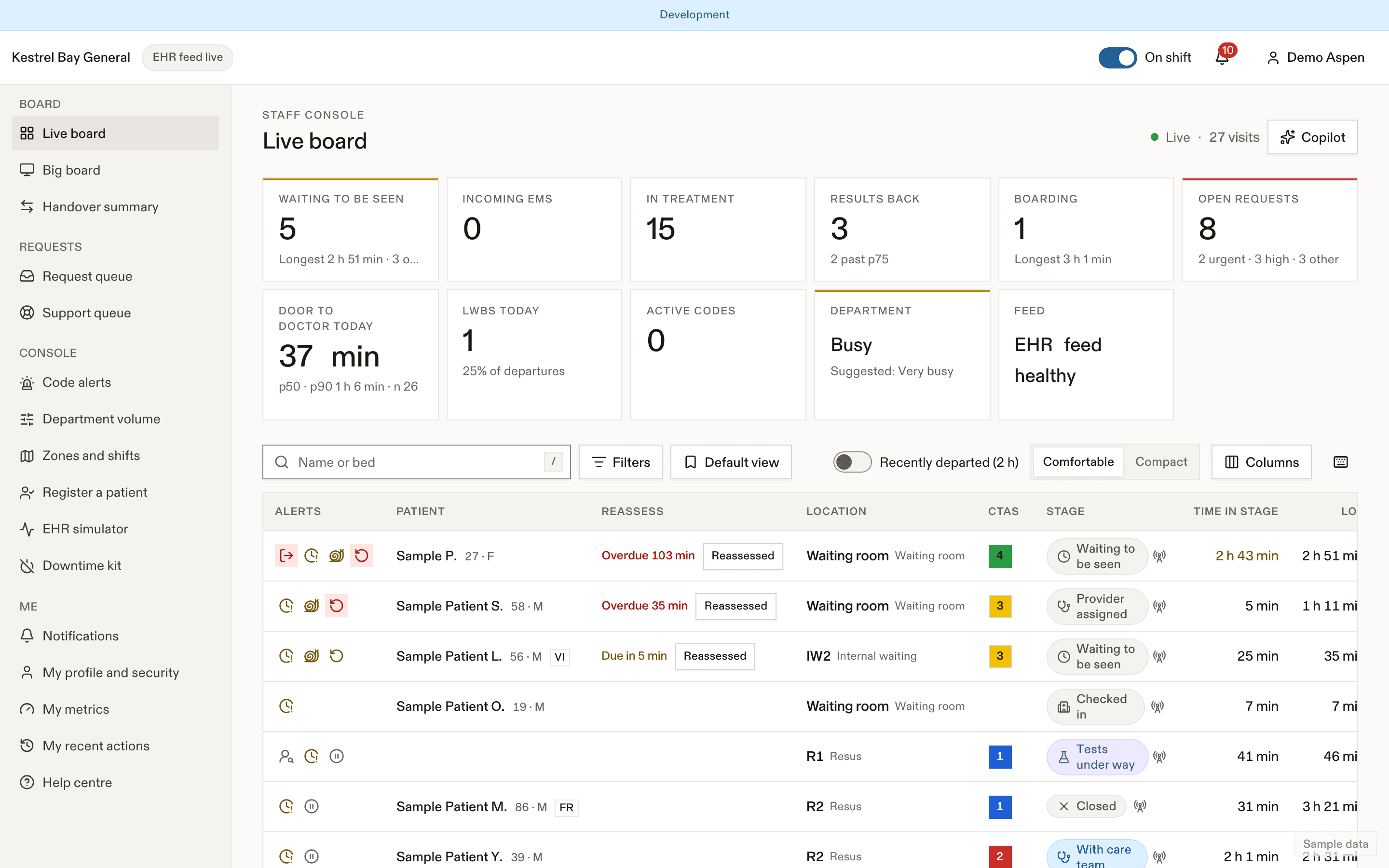
6. Watch it arrive
- Sign in to the sandbox staff console with the sandbox staff account from your organization's welcome email. The patient appears on the board as "Waiting to be seen".
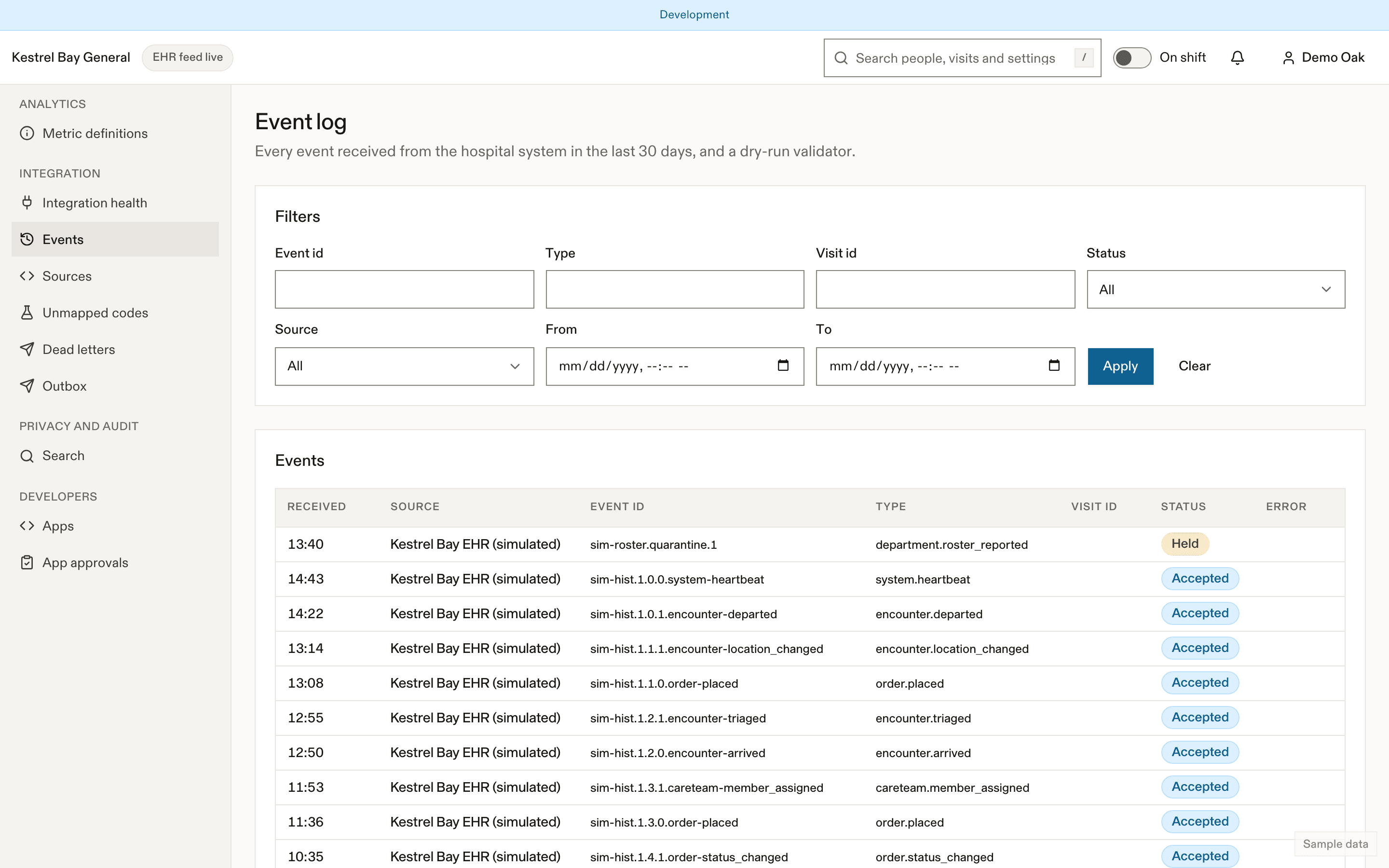
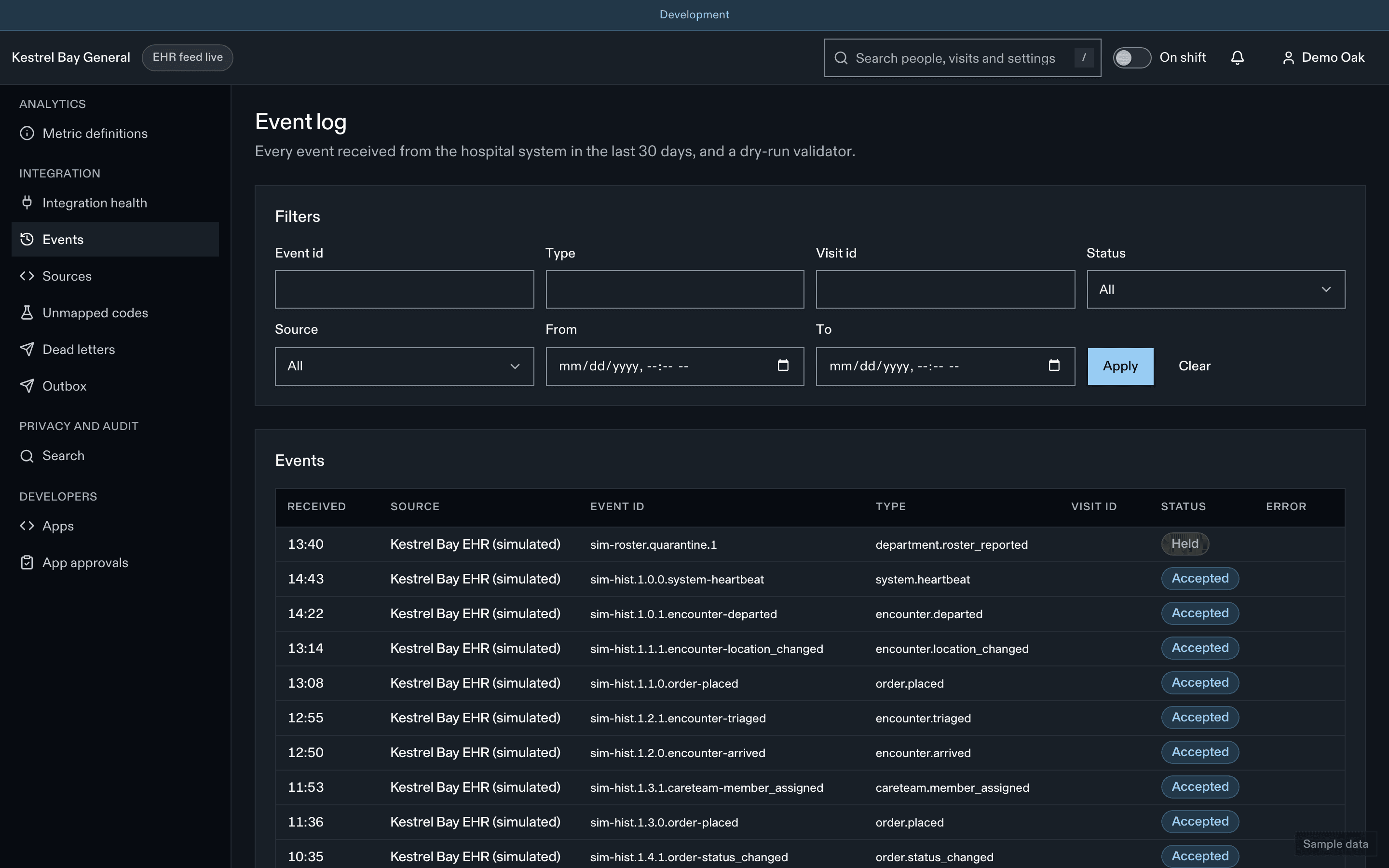
- The integration Event log shows both events as accepted.
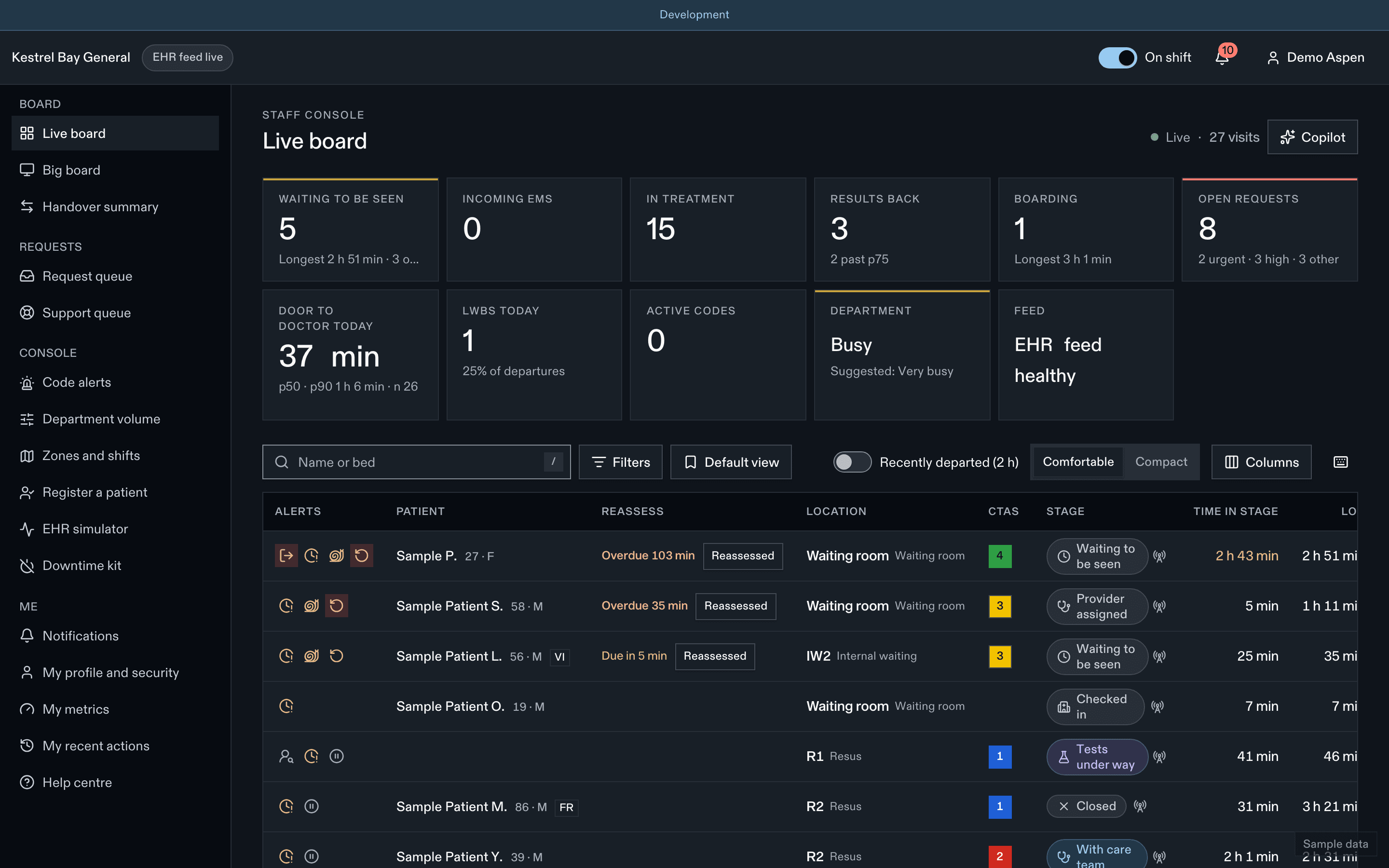
- Filters and saved views
- Bottleneck flag
- Open requests
7. Receive a webhook
- Expose an HTTPS endpoint (for example with a tunnel) and create a webhook endpoint in the portal for
request.created. Copy thewhsec_…signing secret. - Create a sandbox patient request:
POST /v1/sandbox/requestswith the encounter id. - Verify the delivery with a Standard Webhooks library. See Webhooks.
Alternative: the signed /ehr/v1 profile
Engines already built to the signed ingest profile send the same { "events": [...] } body to /ehr/v1/events, signed with an HMAC source key instead of a bearer token. Sign and authenticate at send time, never in the transformer, so queued retries are re-signed. See Authentication.
Mirth Connect and Open Integration Engine
Import the channel templates from Engine configuration. They fetch and cache the token in a JavaScript Writer destination at dispatch time, queue on 503 and 429, and never hold the queue on AE or AR.
Next steps
Last updated on