Developers
Build with the EDFlow Integration API: send an inbound EHR feed as normalized events, FHIR R4 or HL7 v2 over HTTPS, read what the ED app holds, and receive signed webhooks. Sandbox, customer test and live environments.
The EDFlow Integration API is how a hospital's integration engine, EMR team or an approved vendor connects to EDFlow:
- Push ED workflow data in: normalized JSON events, FHIR R4 Bundles and messages, or HL7 v2 over HTTPS.
- Read what EDFlow holds that the EMR doesn't: patient requests, patient-completed tasks, activation, the derived stage, department code alerts, ingest results.
- Write back a small set of actions from the EMR side: acknowledge or resolve a patient request.
- Subscribe to signed webhooks: a request was created, a code was called, the feed went quiet.
Choose your path
| You are | Start with | Then |
|---|---|---|
| An integration-engine team (Mirth/OIE, Rhapsody, Cloverleaf, InterSystems) | Quickstart | Engine configuration, HL7 v2, Go live |
| An EHR vendor or EMR team | Concepts | FHIR R4, Authentication, Webhooks |
| Hospital IT reviewing the integration | Trust overview | Network requirements, Data flow |
Three environments
| Sandbox | Customer test | Live | |
|---|---|---|---|
| For | Development against the simulator and fictional hospitals | Your hospital's own test-domain feeds before go-live | Hospital production |
| Data | Synthetic only, enforced: real-looking identifiers and production HL7 are refused | Treated as real patient data (test domains are often copied from production) | Real patient data |
| Where | US East | Canada (AWS ca-central-1) | Canada (AWS ca-central-1) |
| Credentials | edf_test_… | edf_uat_… | edf_live_… |
| App approval | None | Four eyes | Four eyes |
A credential only works in its own environment; using it elsewhere returns 401 wrong_environment with the right base URL.
What the API never returns
Patient names, dates of birth, raw EHR identifiers (unless the site opted in to encrypted visit numbers), CTAS, chief complaint, free text or result content. Responses carry EDFlow ids, workflow state and catalogue keys only.
Get sandbox credentials
Get access to the developer portal
Your hospital's integration analyst or your EDFlow contact invites you as an integration developer. Vendor developers are affiliated with the hospital first.
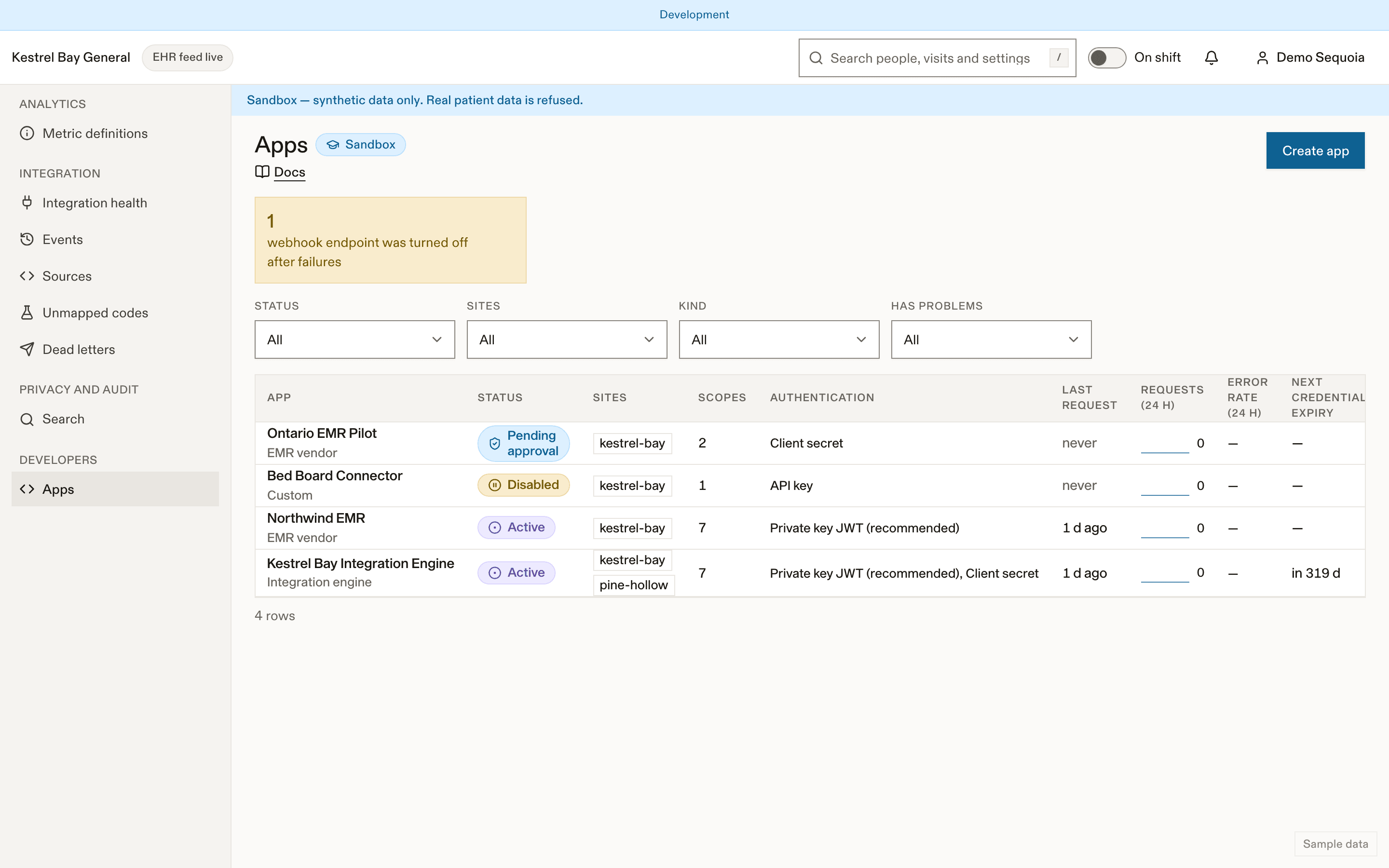
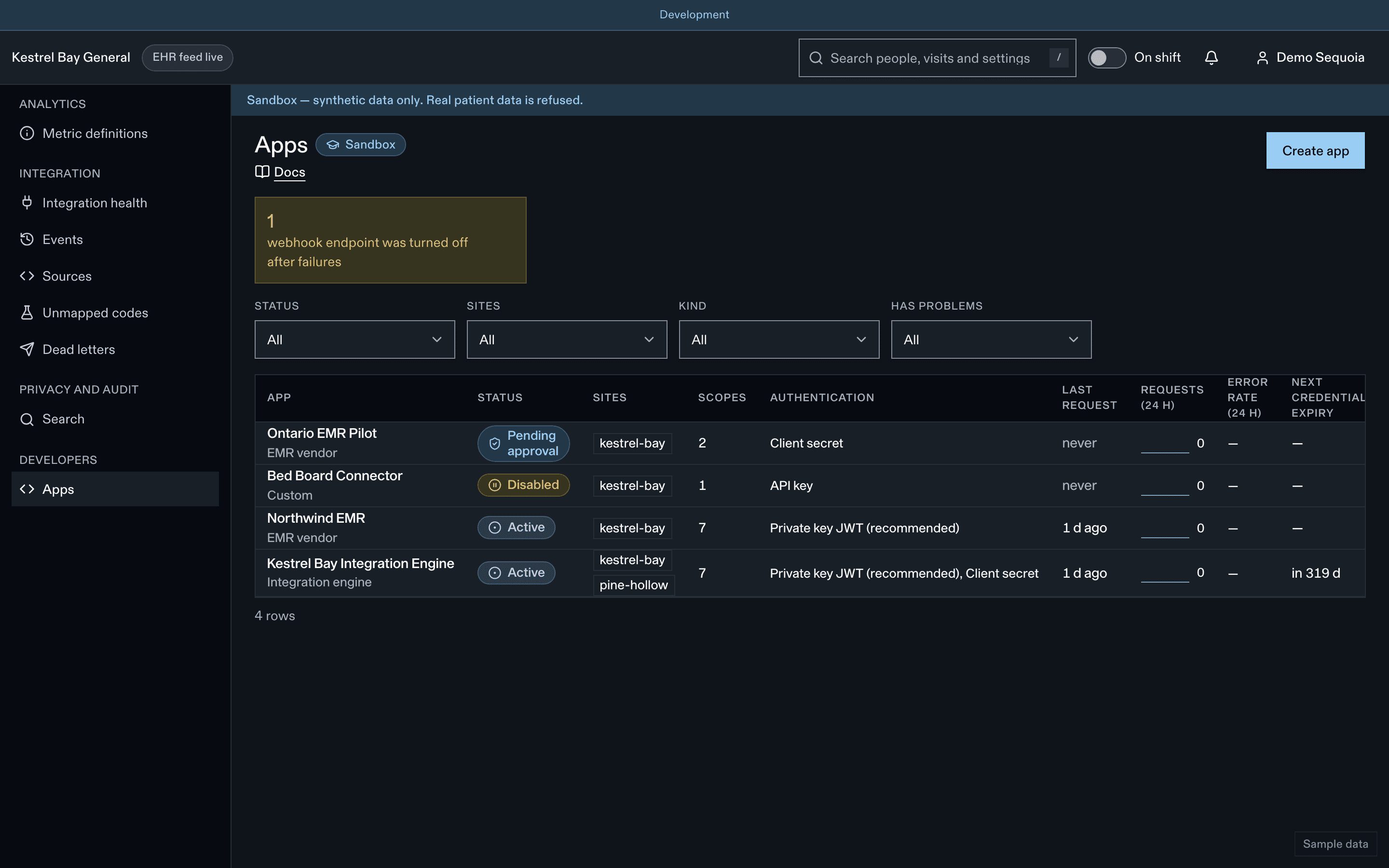
Create a sandbox app
Pick a preset (for example Integration engine), then create a client secret or register a public key.
Reference
- API reference, generated from the OpenAPI document
- Event reference for every event type
- Errors, Rate limits and retries, Versioning, Changelog
- Build with AI:
llms.txt, Markdown pages and the docs MCP server
Further reading: Integrating Epic and Oracle Health.
Frequently asked questions
No. Create a sandbox app in the developer portal: it is active immediately and only ever sees fictional hospitals. See Sandbox and the quickstart.
No. The event contract forbids them, and events with prohibited fields are rejected before anything is stored. See Errors.
Deliveries follow Standard Webhooks: verify the signature, deduplicate on the webhook id and order by version. An endpoint with no success for 5 days and 10 or more failures is disabled and its owners are emailed. See Webhooks.
You get a 429 response with RateLimit headers. Retry with exponential backoff and jitter, and use idempotency keys. See Rate limits and retries.
New enum values and event types are announced 60 days ahead and breaking changes 12 months ahead, and /v1 stays supported for at least 12 months after a /v2. See Versioning.
Dernière mise à jour le