Register a patient
Register a patient by hand in EDFlow at manual-mode sites or during EHR downtime: the fields, the minimal data profile, the duplicate check, triage and the card recipient.
At sites without an EHR feed, you register every patient in EDFlow. At sites with a feed, register here only during EHR downtime.
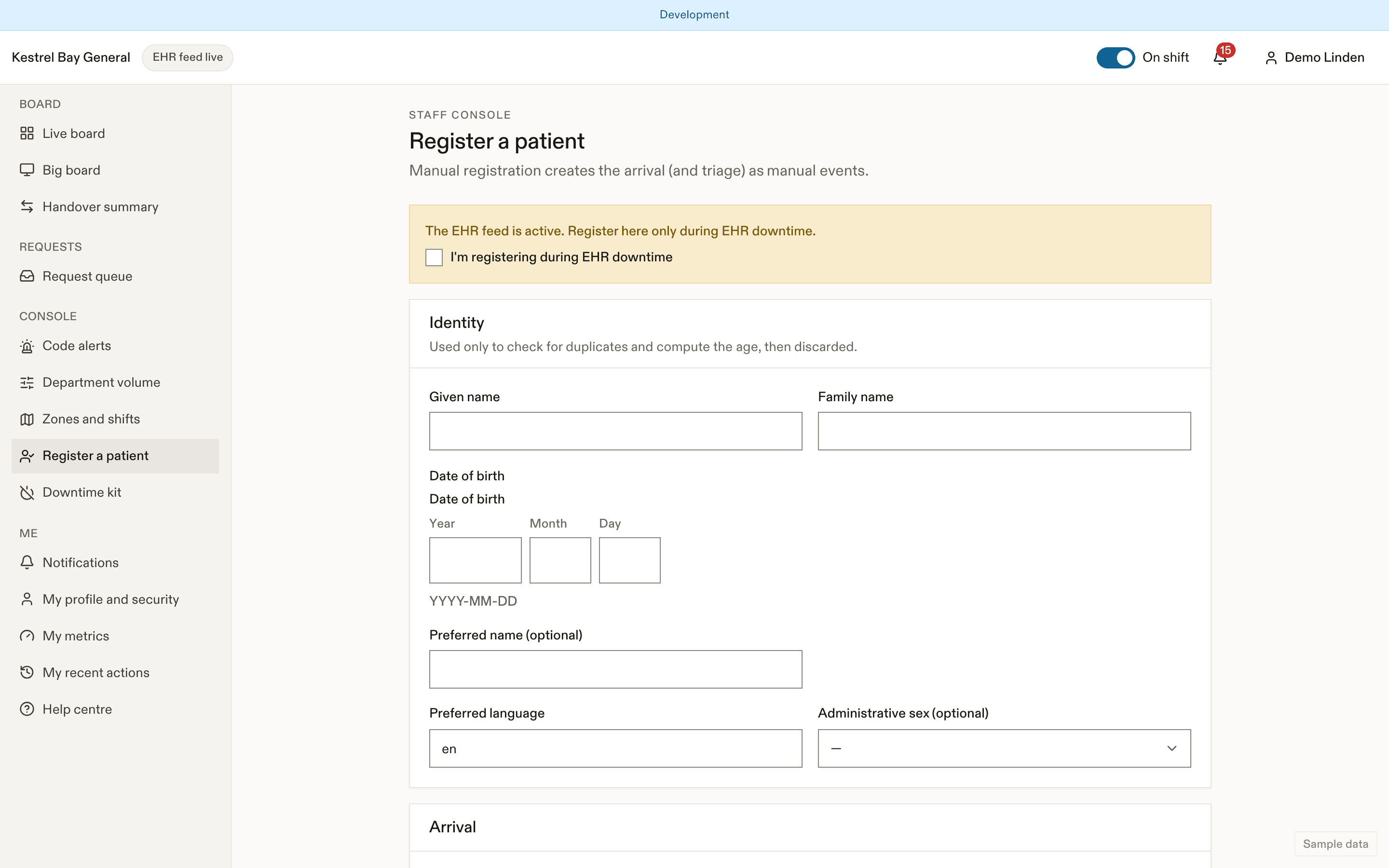
Register
Open Register a patient from the header or the command palette.
| Field | Notes |
|---|---|
| Given name, family name | Used to build the match key, then the family name is discarded |
| Date of birth | Used for the match key and the age, then discarded. EDFlow never stores it |
| Preferred name, preferred language, administrative sex | Optional except language |
| Arrival time and mode | Defaults to now. For ambulance arrivals, the EMS arrival and transfer-of-care times |
| Referred to a service | Optional |
| Location | Waiting room, triage or a bed |
| Confidential | See Confidential and unknown patients |
| Identity not yet confirmed | Provisional: no card until confirmed |
| Triage | Optional here (CTAS and time), usually done by the triage nurse |
After triage, choose Who gets the EDFlow card?: patient, guardian, substitute decision-maker, youth-confidential, or not appropriate. The card then goes to the print station.
Minimal data profile
At sites using the minimal profile, you enter initials instead of the name and date of birth, and patients sign in with a 10-character visit code and type the name they want to be called.
Duplicate check
If an active visit has the same match key, the form says only "A possible duplicate exists. Review before registering." Show possible duplicate opens that visit (recorded in the audit log). Register only if it's a different person.
During EHR downtime
With the feed active, a banner warns: "The EHR feed is active. Register here only during EHR downtime." The visit is marked for linking; when the EHR arrival comes in, the charge nurse links the two. See Overrides and corrections.
Last updated on