Safety
The EDFlow safety model: I feel worse always sends people to staff first, delay notices never identify anyone, results are never shown, and what happens when the phone is offline.
EDFlow is designed so that what it says, and when it says it, can never delay care. Every rule on this page is built into the product and cannot be turned off by a hospital setting. The wording below is the exact text patients see.
Tell a staff member now
Don't wait for a reply on your phone. Tell any nurse or staff member right away, or press your call bell. If you're in the waiting room, go to the triage desk.
If this is an emergency, call 911. For health advice, call Health811 at 811.
"I feel worse" always sends people to a person first
The I feel worse button is on every patient screen. When someone taps it:
- The phone shows, straight away and without waiting for the network: Tell a staff member now. Don't wait for a reply on your phone. Tell any nurse or staff member right away, or press your call bell. If you're in the waiting room, go to the triage desk.
- At the same time, it sends an urgent request to the care team. There is no confirmation step, and three taps within a minute still make one request.
- The screen never says or implies that someone is coming. When a staff member answers, the patient sees that the team knows they asked for help, and the instruction to tell someone in person stays at the top.
- If the patient has stepped out of the department, the screen says: Come back to the emergency department now. If you can't, call 911.
- After the visit, no request is sent. The screen says: If this is an emergency, call 911. For health advice, call Health811 at 811.
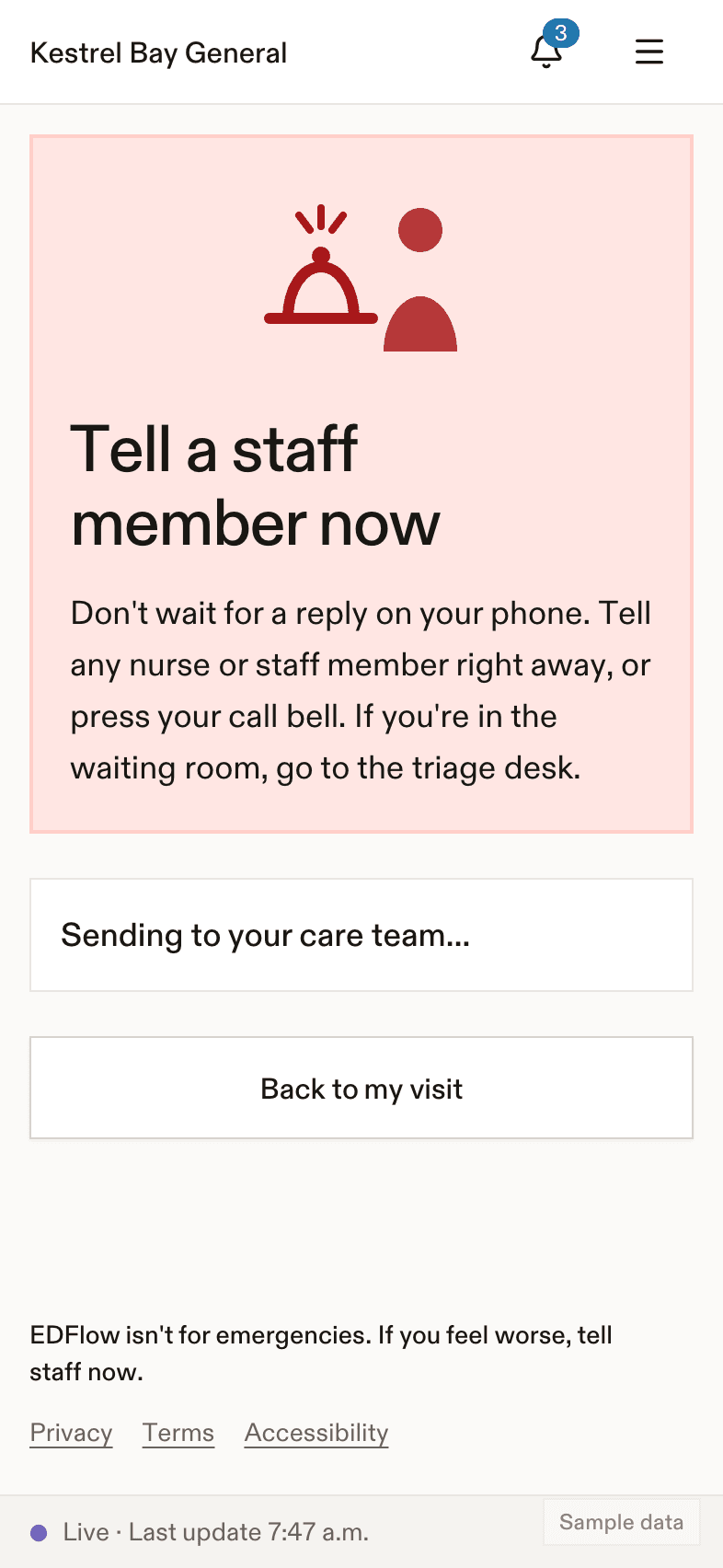
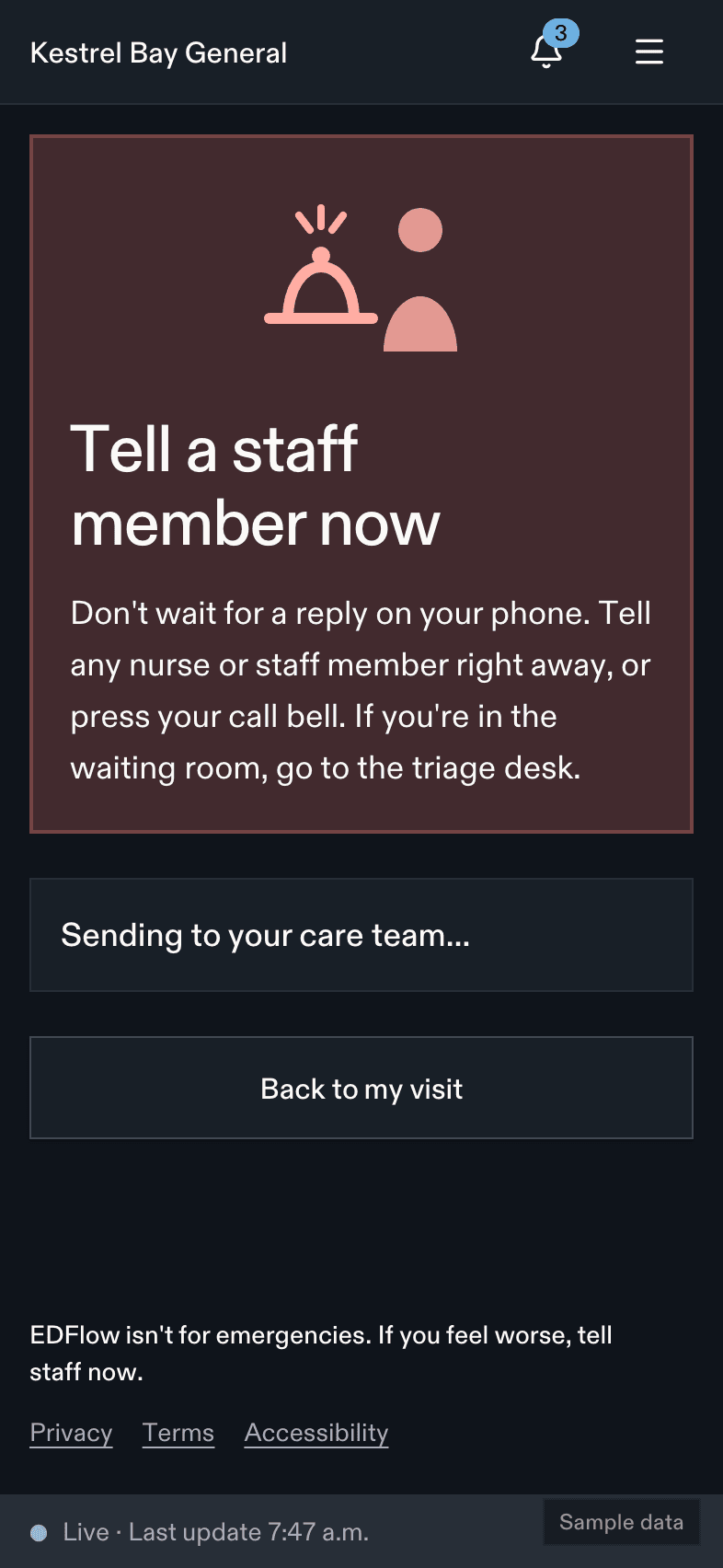
Staff see the urgent request at the top of the queue and on their phones while on shift. It keeps escalating to the charge nurse until someone answers "Going now" or "Handled in person". See Requests.
Delay notices never identify anyone
When someone very unwell needs the team, the charge nurse or the resuscitation team can post a delay notice for the patients whose care is likely to be delayed. Patients see:
Your wait may be longer. Someone in the emergency department needs urgent care right now, so part of our team is with them. This may add time to your wait. We haven't forgotten you, and we'll be with you as soon as we can.
- The notice never names the code, its colour, the area, how many people are involved or how long it will last.
- Only medical codes can notify patients. Security and facility codes (for example fire or a missing person) never reach patients through EDFlow. Hospital emergency management owns those.
- The person the code is about, and anyone in the same area, never receives the notice.
- A second code within 30 minutes updates the same notice instead of sending another.
Results are never shown
Patients see that a result is back. They never see a value, a flag or an interpretation, and "back" is never styled as good news. Some hospitals also wait a few minutes before showing "back", so a clinician sees the result first. The product says: You'll hear about your results from your care team, not in this app.
No triage level, no place in line
Patients never see their triage level, a queue position, how many people are ahead of them, or a comparison with anyone else. Waits are shown as a usual range and a ceiling, based on past visits at the same hospital on the same day and hour. For the most urgent triage levels, no wait is shown before the patient is seen: We'll see you as soon as we can. The sickest people are always seen first.
Offline and delayed information
| Situation | What the patient sees |
|---|---|
| The phone loses its connection | You're offline. We'll update this as soon as you reconnect. The last known view stays on screen with its time. Requests are never queued silently for later. "I feel worse" still shows the instruction to tell staff. |
| The hospital's EHR feed is delayed | Updates may be delayed. Last updated {time}. Your care continues as usual. |
| The feed is down | Estimates freeze and are marked as possibly out of date. Staff keep the visit current from the console. |
| Staff pause a visit's updates | Updates are paused. Please speak with the care team or call the hospital. Nothing else changes until staff resume them. |
Clinical safety management
Every change to stages, estimates, notifications, requests, tasks or patient wording goes through a hazard-log review before release. Hospitals receive the hazard log summary with the security review pack. See IT and security.
Related
- If you feel worse for patients
- Requests and Escalations for staff
- Communicating code-alert delays without alarming patients on the product site
Last updated on