Message outbox
The EDFlow message outbox: every text, email and push attempt with masked recipients and masked links, delivery status, resend, and why invite and reset links are never kept.
The outbox is the record of every message EDFlow tried to send.
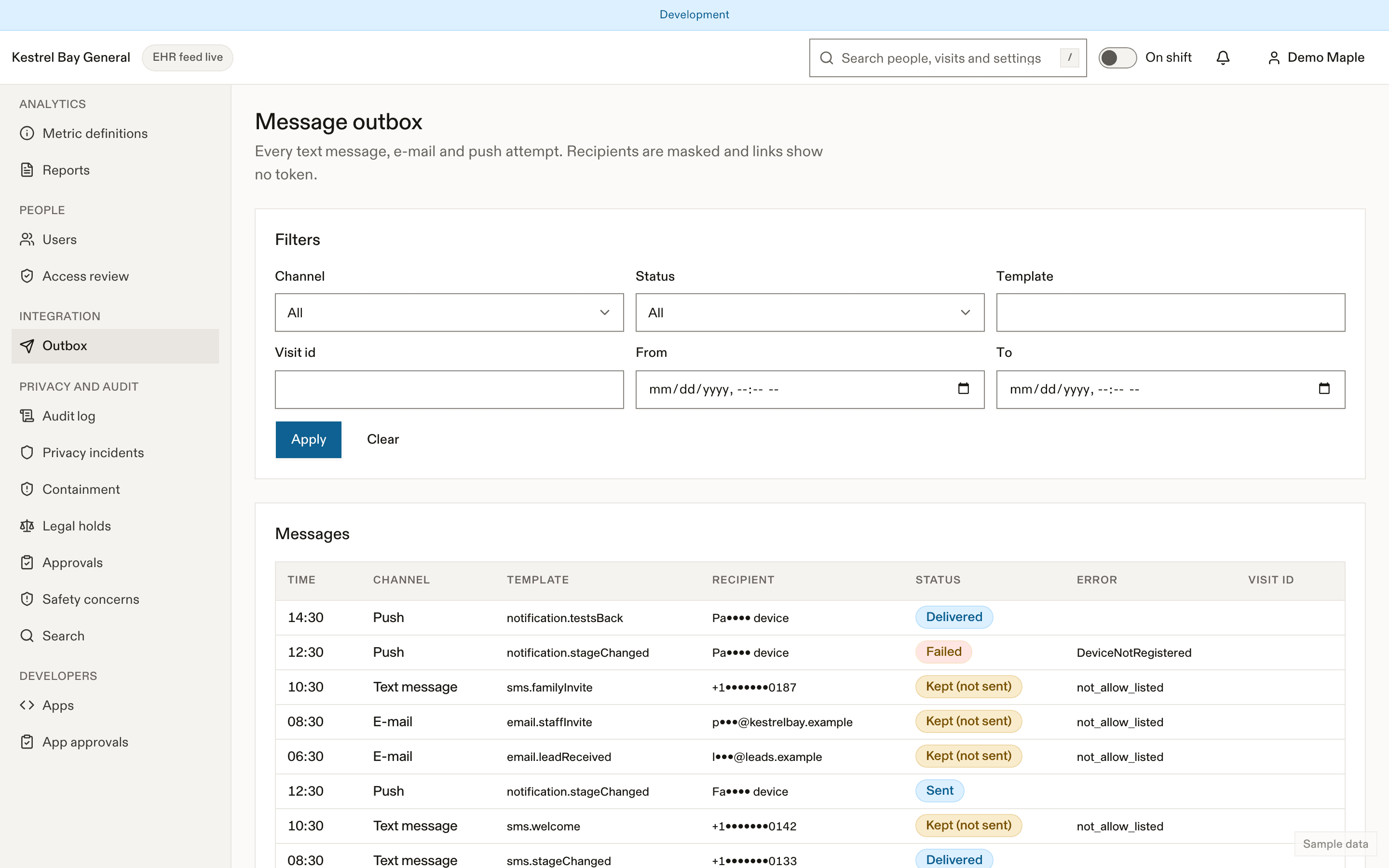
Each row
| Field | Notes |
|---|---|
| Time, channel | Text, email or push |
| Template | The fixed template key (for example the generic patient update) |
| Recipient | Masked: the last 2 digits of a phone number, the first letter and domain of an email, a push token prefix |
| Status | Queued, sent, delivered, failed, suppressed (rate cap or opt-out), captured (no provider configured) |
| Provider id, error | For troubleshooting |
| Related | The visit's EDFlow id, or the staff user |
The body view shows the rendered text with every link token masked (/f#t=••••).
What's never kept
Invite and password-reset links are never kept or openable, in any environment. Phone numbers used once to send a family invite or a summary link aren't stored at all.
Synthetic environments only
In demo and test environments with synthetic data only, a captured patient or family link can be opened with Open, which is audited. This is never possible in production or customer test.
Resend
Failed messages can be resent.
Retention
Bodies are cleared after 30 days and rows deleted after 90 days.
Related
Dernière mise à jour le
Cette page vous a-t-elle été utile?
Access requests and retention
Answer PHIPA access requests with a EDFlow visit-record export, place and lift legal holds, and understand the retention schedule, care records and de-identification after the operational window.
Vendor support access
How time-boxed vendor support access to your EDFlow site works: no standing access, a ticket and reason, read-only or admin scope, at most 4 hours, notifications to managers and a full audit trail.