Clinician metrics
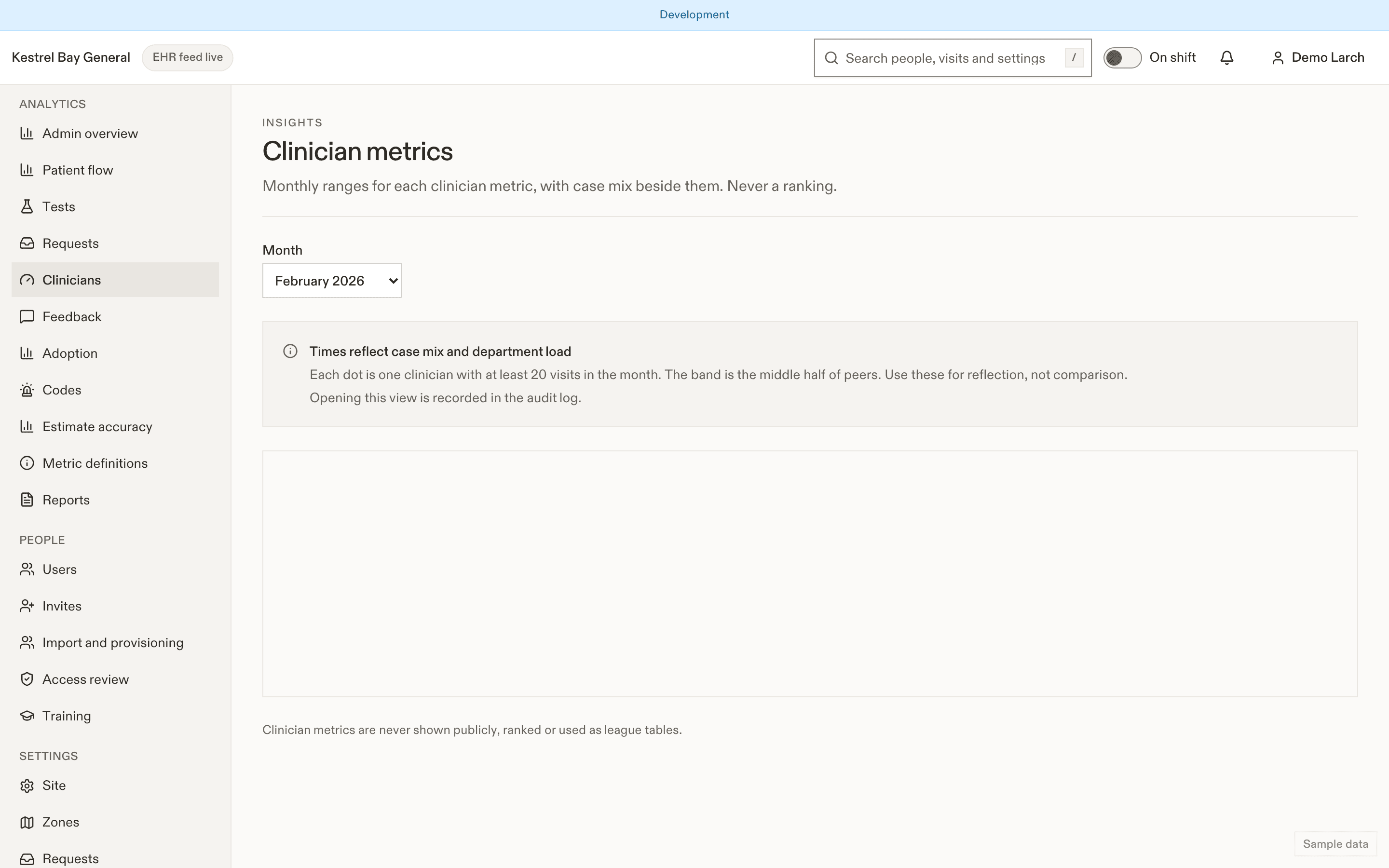
Per-physician step metrics in EDFlow: attribution, the blinded and named views, case-mix context, the minimum sample size, governance, and why there are never ranks or league tables.
- Désactivé par défaut
Clinician metrics are off by default. Turn them on only with the medical leadership's agreement and a written purpose (for example quality improvement, not performance management).
The metrics
| Id | Indicateur | Définition | Unité |
|---|---|---|---|
C-01 | Patients vus | Visites où le clinicien a marqué le jalon « vu », par mois et par heure clinique prévue. | count |
C-02 | Du médecin au premier examen | Temps médian entre le moment où le patient est vu et le premier examen demandé (segment S3). | minutes |
C-03 | Du médecin à la décision | Délai entre le moment où le patient est vu et la décision de disposition, pour les visites que le clinicien a vues et décidées. Les visites transférées sont présentées séparément. | minutes |
C-04 | Des résultats à la réévaluation | Délai entre le retour des résultats et la réévaluation ou la décision suivante (segment S5), pour les cycles pendant lesquels le clinicien était responsable. | minutes |
C-05 | Durée du séjour, retour à domicile | Durée médiane du séjour des visites avec retour à domicile où le clinicien a pris la décision et suivi la visite la plus grande partie du temps. Les visites transférées sont présentées séparément. | minutes |
C-06 | Taux d'admission | Proportion des décisions du clinicien qui étaient des admissions. | rate |
C-07 | Retours dans les 72 heures | Retours non planifiés dans les 72 heures (K-25a) pour les décisions de retour à domicile du clinicien. | rate |
C-08 | Taux de demandes d'imagerie | Proportion des visites vues par le clinicien comportant au moins une demande d'imagerie (radiographie, tomodensitométrie, échographie ou IRM). À lire avec la composition des cas. | rate |
C-09 | Part des visites vues | Les visites vues par le clinicien en proportion de toutes les visites vues au site pendant le mois : un volume relatif, jamais un classement. | rate |
Case mix is shown beside every metric: CTAS mix, age bands, ambulance share, night-shift share.
Attribution
Each segment is attributed to the clinician responsible during it, from the care-team history and handover releases. The decision clinician is the one on the disposition, otherwise the attending at that time. Visits handed over before the decision are reported separately ("handed over") and excluded from the default view. Per-hour values use the physician shift schedule.
Views
| View | Who | What |
|---|---|---|
| Self | Each physician (analytics.self) | Own values against the peer range (p25 to p75 of peers of the same clinician type with n ≥ 20), 6-month trend |
| Blinded | Managers (analytics.clinician_blinded) | One strip per metric, each clinician a dot labelled "Clinician A, B…", relabelled randomly each month. No sorting by value. Clinicians with n < 20 hidden |
| Named | Only when the site turns on named metrics and the viewer has analytics.clinician_named | The same with names. Every view audited |
Never
Ranks, league tables or any public display.
Settings
Turning on named metrics reduces privacy for clinicians: it needs a typed confirmation and is audited, and named metrics can't be on while clinician metrics are off.
| Paramètre | Par défaut | Valeurs permises | Effet |
|---|---|---|---|
careTeam.namePolicy | first_last_initial | first_last_initial, first_only | How non-physician staff names show to patients (physicians always "Dr. First Last"). (Réduit la confidentialité) |
careTeam.allowPhotos | true | boolean | Staff may opt in to show photos. (Réduit la confidentialité) |
careTeam.photoApproval | true | boolean | Photos need manager approval. (Réduit la confidentialité) |
careTeam.showOtherRoles | true | boolean | Show roles beyond physician and nurse. (Réduit la confidentialité) |
careTeam.showTriageNurseName | false | boolean | Show the triage nurse's name. (Réduit la confidentialité) |
Related
- My metrics, the physician's view
Dernière mise à jour le
Cette page vous a-t-elle été utile?
Request analytics
Request analytics in EDFlow: volume by type, zone and hour, time to first response and to resolve, urgent in-person response, service-level compliance, escalations and alerts per nurse per hour.
Feedback
Patient feedback analytics in EDFlow: the five-question post-visit survey, the in-visit pulse, response rates, top-box shares, comments hidden when they may contain personal information, and family feedback.