Patient detail
The EDFlow patient detail page: the header, the tabs (overview, tests, tasks, care team, requests, going home, sharing and access, activity), provenance of each fact, audited opening, and confidential and provisional patients.
Open a patient from the board (click or Enter) for the drawer, or Open full page for every tab. Opening a patient is recorded in the audit log with who, when and which tab.
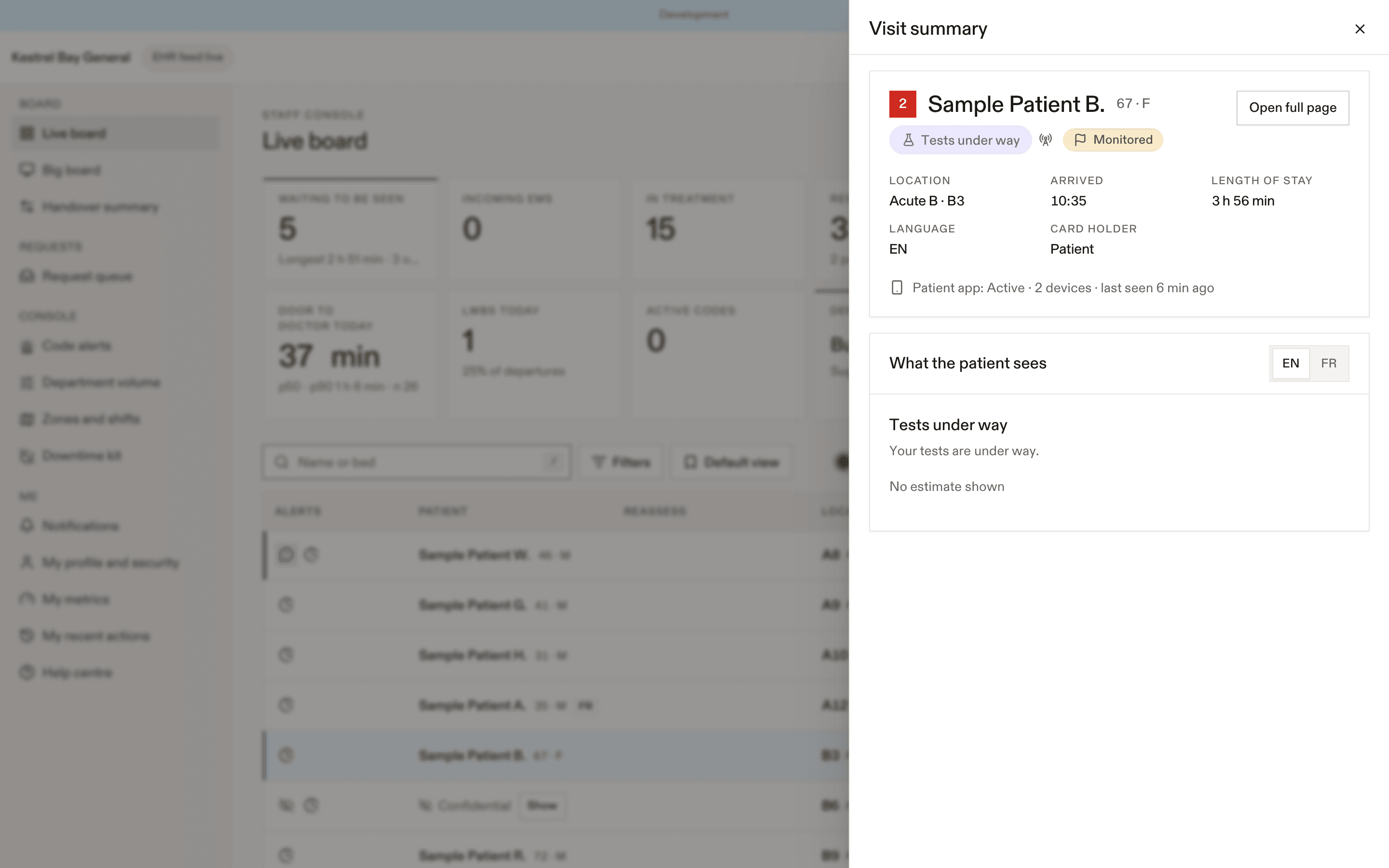
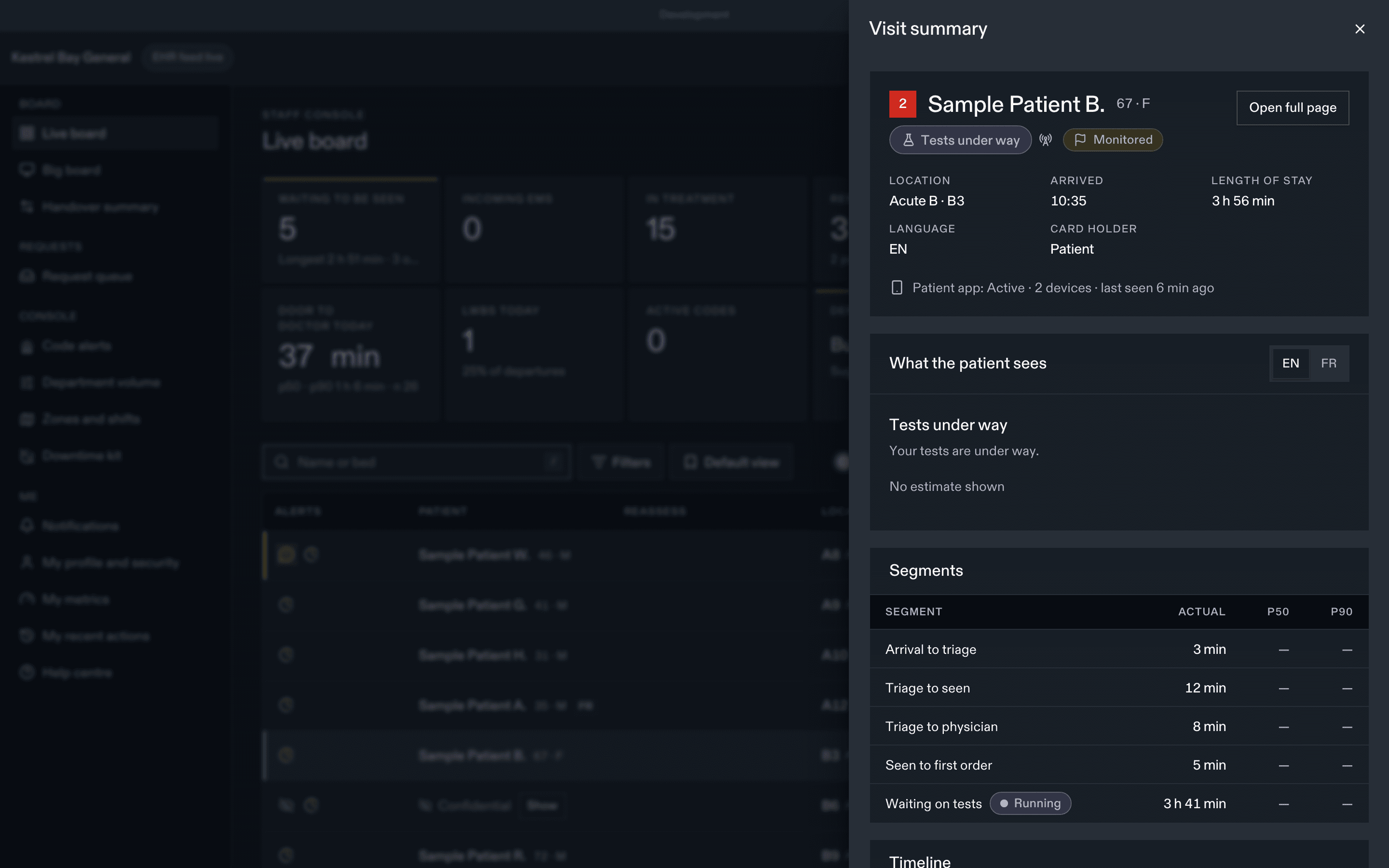
Header
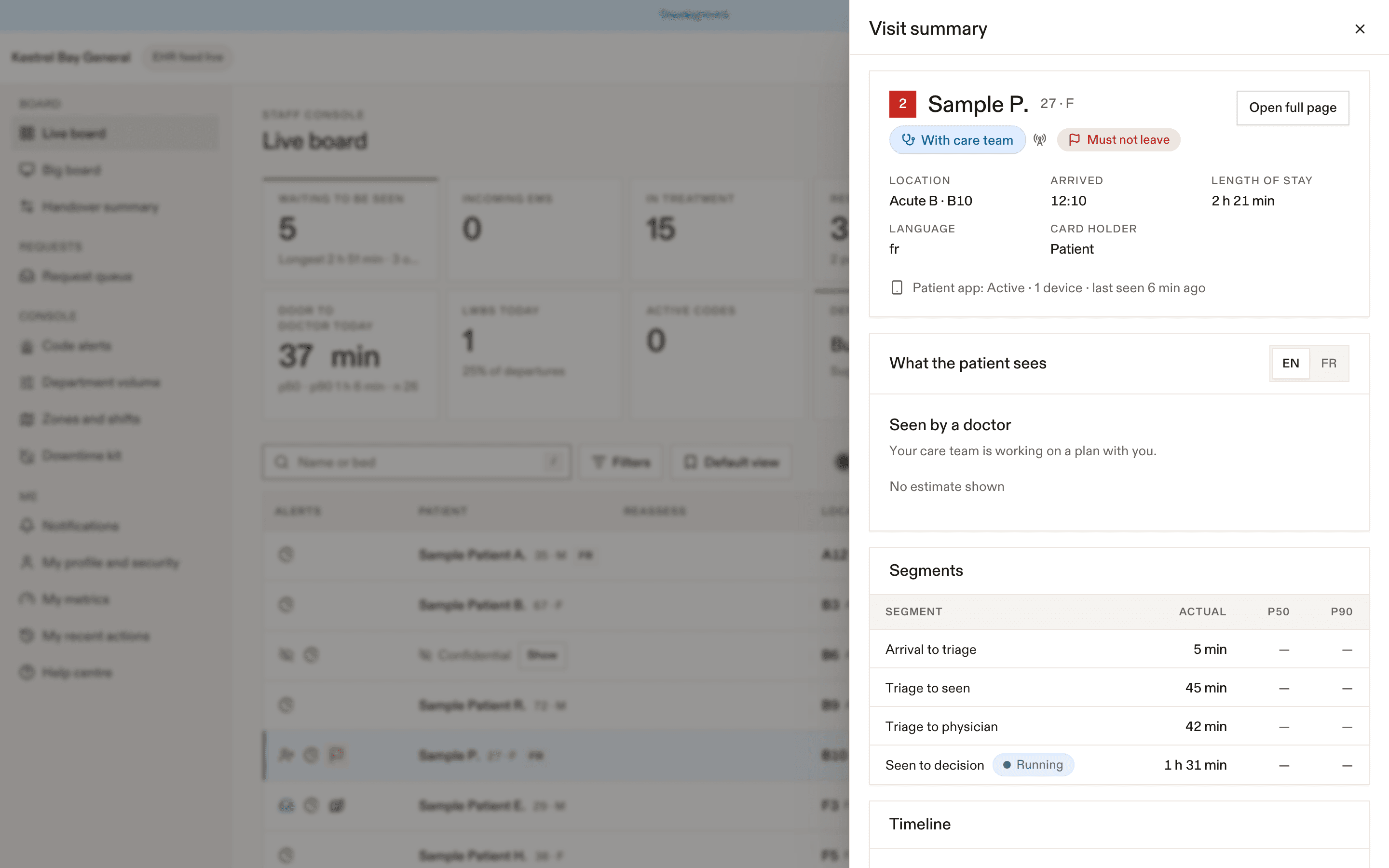
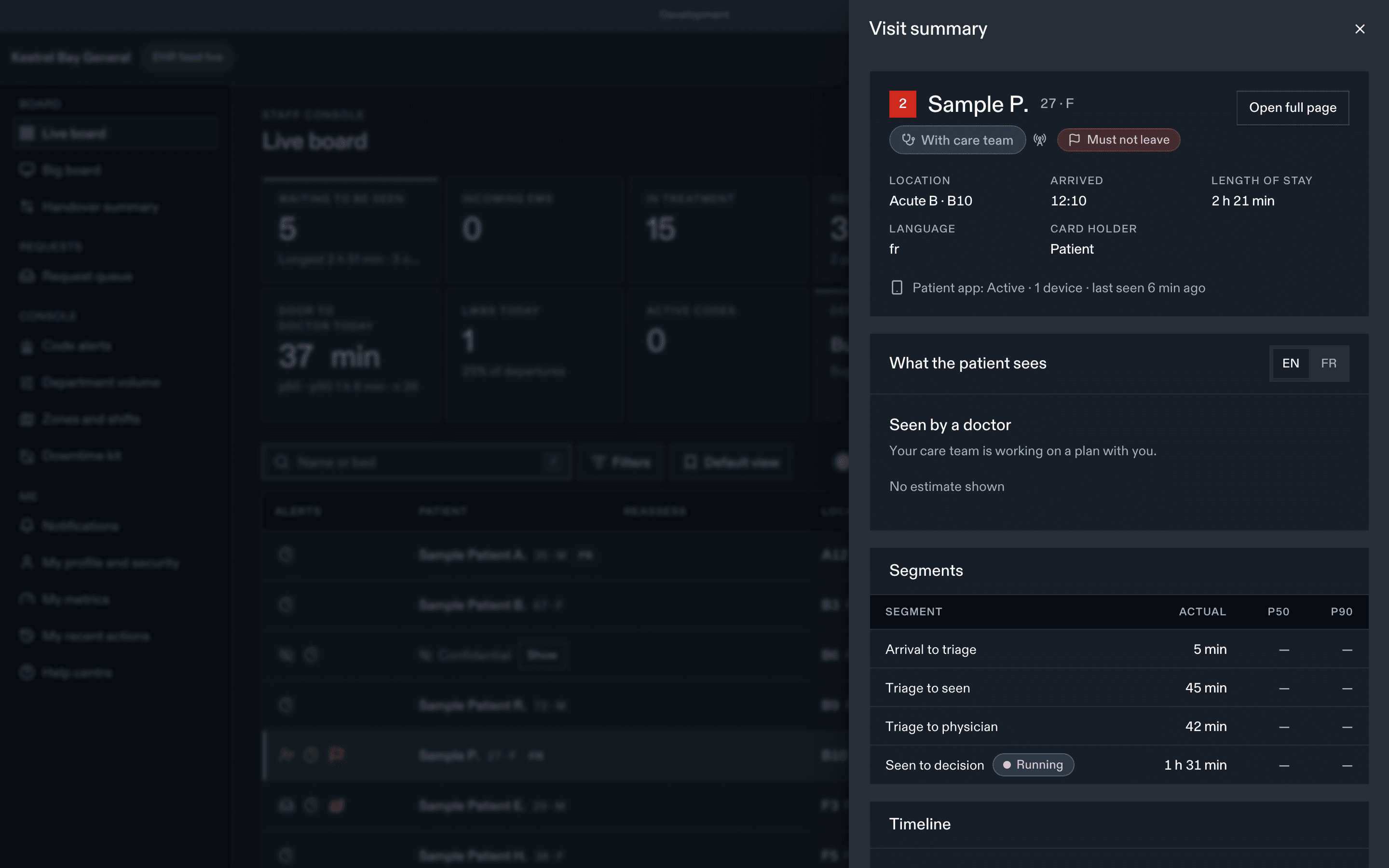
Display name (masked if confidential), age and sex, language, location, stream, CTAS, arrival and LOS, the expected total length of stay with its target status, imaging orders with their ordered times, stage with provenance, care flags, Updates paused chip, card recipient (patient, guardian, substitute decision-maker, youth-confidential), and the patient-app state ("Active · 2 devices · last seen 3 min ago" or "Not activated").
Quick actions, depending on your permissions: Assign me, Seen, Seen again, Add test, Results back, Hold results, Start observation, Disposition, Cleared to leave, Call back, Pause updates, Send card to printer, Approve pairing code. Update status holds the rest.
Tabs
| Tab | What you see | What you can do |
|---|---|---|
| Overview | Timeline with provenance (EHR, manual, simulator, actor, time, corrections); segment table with the p50 and p90 for each segment; the expected remaining path (staff projection from site defaults); What the patient sees; staff alerts | Correct a milestone time; clear an alert |
| Tests | Every order with status, timestamps, scheduled time, counts toward all back, sensitive, hidden, and when the patient sees it | Add from the catalogue, set status, cancel or recollect, results back, hold and release results, results reviewed, hide from the patient view |
| Tasks | Open, awaiting confirmation, completed | Add from a template, clear, confirm a patient-completed task |
| Care team | Members, source (EHR, manual, zone), since, whether they count for "seen" and NACRS PIA | Assign, release, set primary nurse; request, start and finish consults; hide a consult from the patient view |
| Requests | Every request with its times, actors, escalations and reminders; call-backs and their status; a family call-back's last two digits with Show number (audited) | Acknowledge, Going now / Can't go, resolve, reassign, call back |
| Going home | AVS composer with a live English and French preview, version history | Save, publish, unpublish, Cleared to leave |
| Sharing & access | Family links, sharing lock, confidential flag, restricted view, card recipient, identity status, masked visit card, pairing, patient devices, updates pause, care flags | Revoke links, lock sharing, set flags, reissue the card, sign out a device, pause or resume updates |
| Activity | Access log for this visit, legal holds (privacy officers and managers only) | Export with a second person's approval, legal hold |
Provenance
Every fact shows where it came from: the EHR feed, a manual console action (with the staff member), the simulator (sandbox only), or an Override. Patients see all of these the same way.
"What the patient sees"
The Overview tab shows the patient's stage label, estimate text and the level the estimate came from, produced by the same function as the patient's screen. Use it to answer questions at the bedside. See What patients see.
Confidential patients
Confidential names show as Confidential on the board, in the palette and on this page. Show asks for a reason (Providing care, Registration, Other) and is recorded as an unmask. Sharing is unavailable for confidential visits.
Provisional identities
An unknown or unconfirmed patient (for example an unidentified trauma arrival) has a provisional identity. They can't sign in to EDFlow, and no card can be printed until identity is confirmed. See Confidential and unknown patients.
Before you act
Every action on a visit, beyond viewing, needs the visit to be opened (and recorded) in this session. If you see "Open this visit first", open it from the board.
Dernière mise à jour le
Cette page vous a-t-elle été utile?
Board
The EDFlow live board: stats row, columns, alerts, filters, saved views, bottleneck flags, keyboard shortcuts, the command palette and big-board mode.
What patients see
The same visit in the EDFlow staff console and on the patient's phone, side by side, so staff can answer patient questions about stages, estimates, tests and requests.