Board
The EDFlow live board: stats row, columns, alerts, filters, saved views, bottleneck flags, keyboard shortcuts, the command palette and big-board mode.
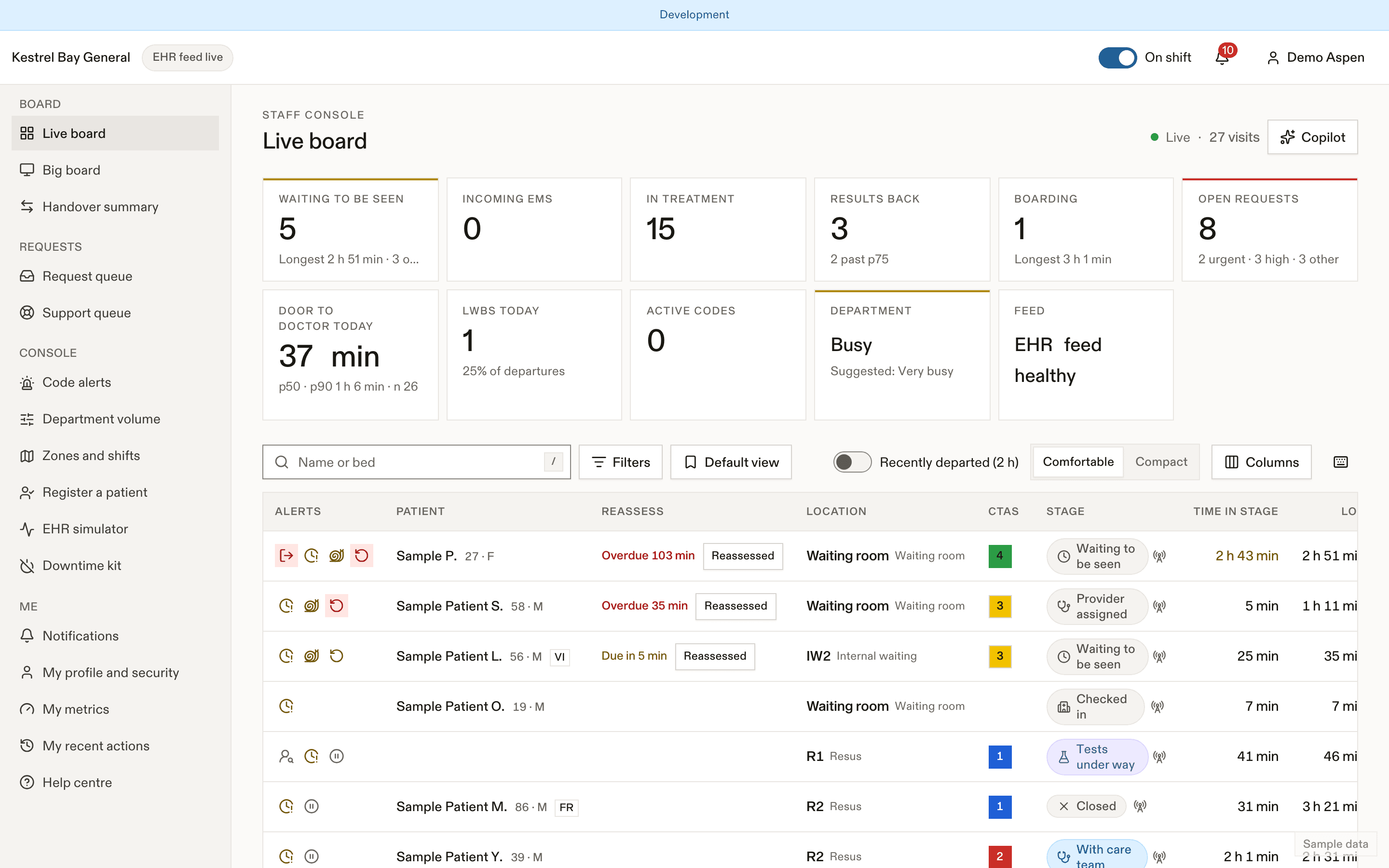
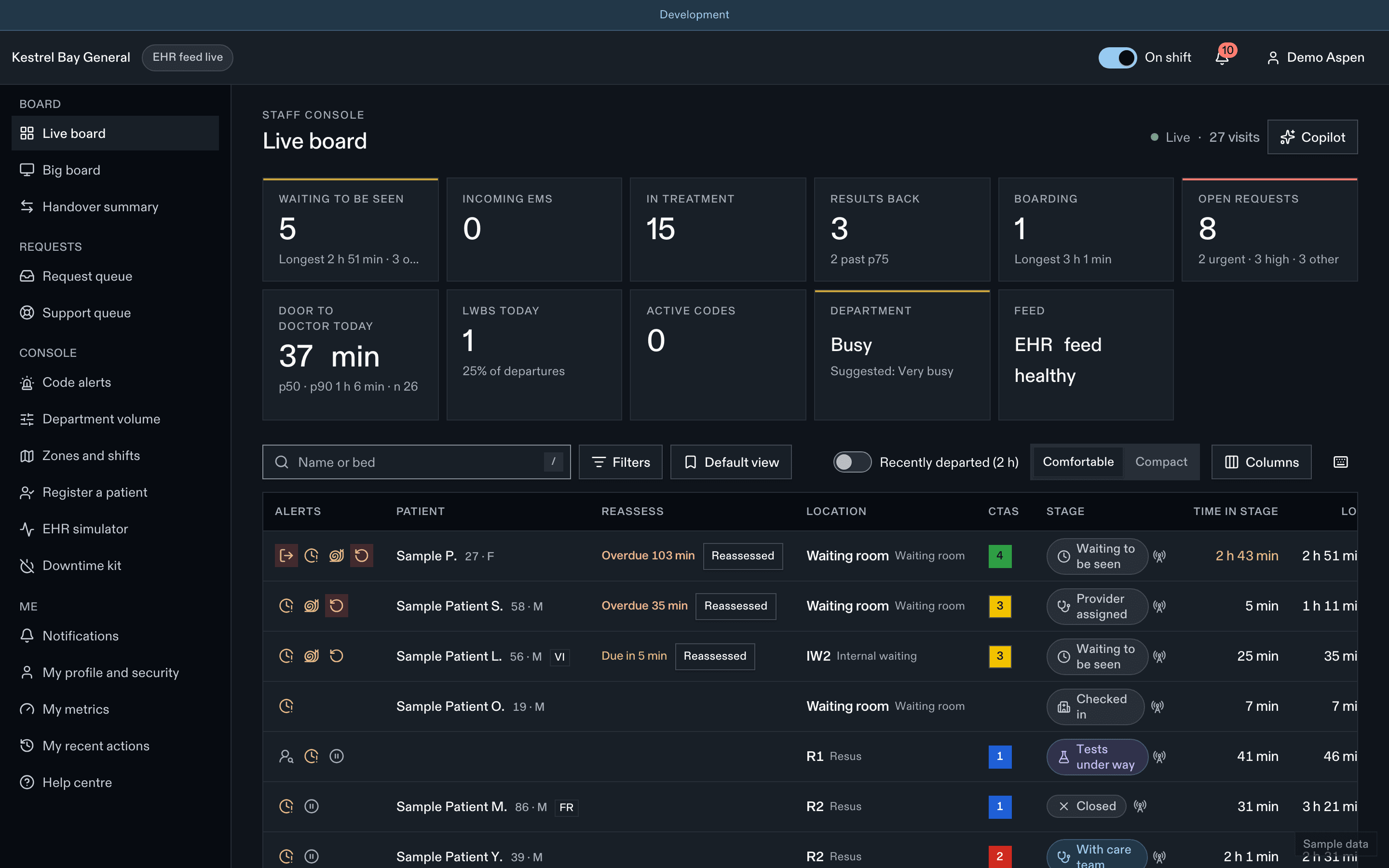
The board is the department at a glance: every active visit, where it is, what it is waiting on, and who needs something. It updates live; you never refresh it.
- Filtres et vues
- Signal de goulot
- Demandes ouvertes
Stats row
Each tile opens a filtered board or its page.
| Tile | Shows |
|---|---|
| Waiting to be seen | Count, longest wait, reassessments overdue |
| Incoming EMS | Ambulances not yet offloaded, longest offload time |
| In treatment | Seen, tests under way, observation, awaiting consult |
| Results back | Count, and how many are past the usual time to reassessment |
| Boarding | Count, longest boarding time, boarder-hours today |
| Requests | Open by urgent / high / other, oldest age |
| Door-to-doctor today | p50 and p90 since 00:00 |
| LWBS today | Count and rate since 00:00 |
| Codes | Active codes |
| Department | Volume level and any pending suggestion |
| Feed | EHR live, delayed, down, or manual mode |
Columns
| Column | Content |
|---|---|
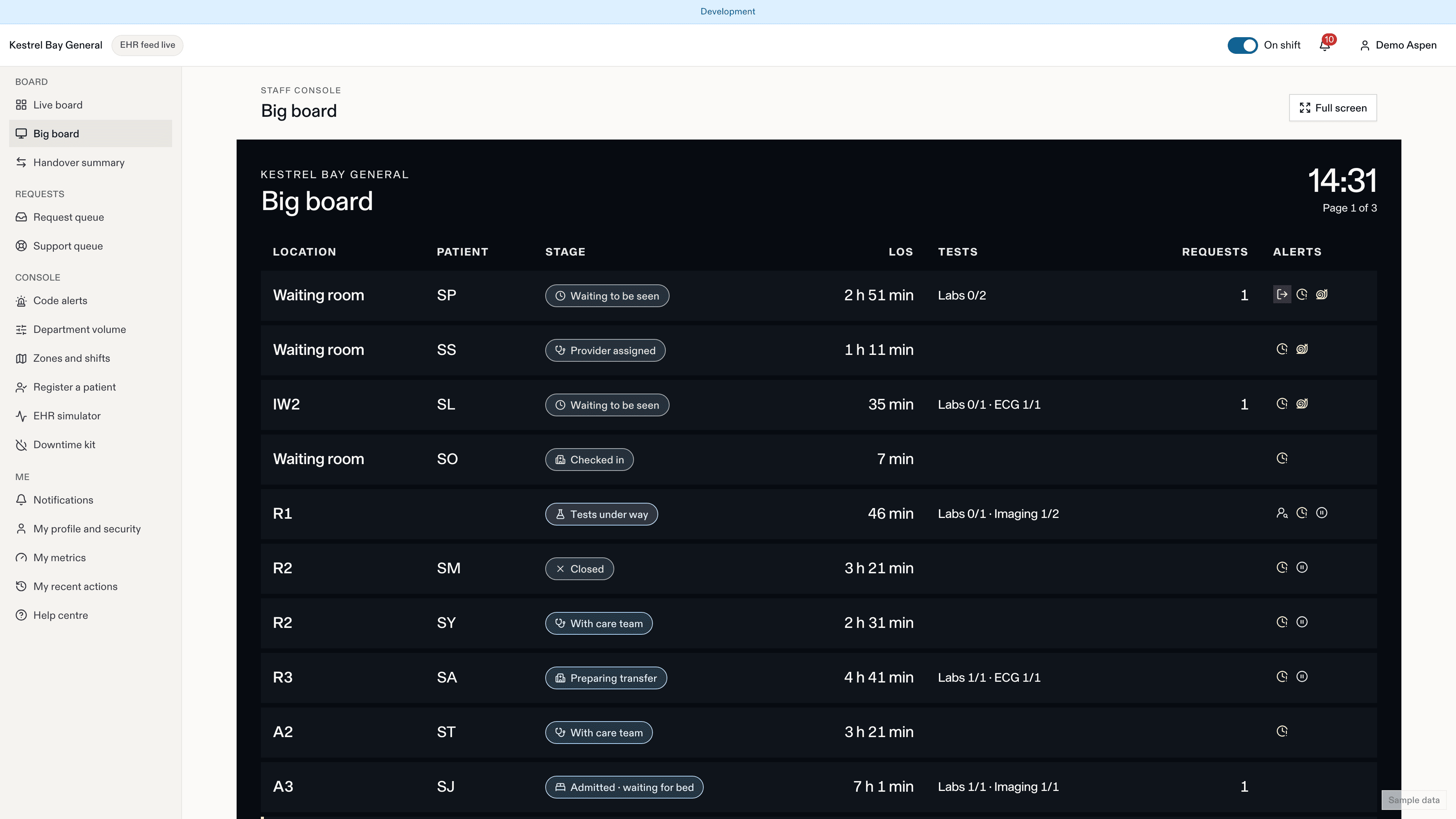
| Alerts | Urgent request, thinking of leaving, results back, over the usual wait, reassessment overdue, stepped out, call-back sent or not present, updates paused, care flags, possible wrong-patient sign-in, new device, confidential, provisional identity |
| Patient | Display name, or Confidential with Show; age, sex; language badge |
| Reassess | Waiting patients: "Due in 6 min" or "Overdue 4 min" with one-tap Reassessed |
| Location | Zone and bed |
| CTAS | 1 to 5 (staff only) |
| Stage | Stage chip with provenance (EHR, manual, simulator) |
| Time in stage | Toned typical, longer than p75, beyond p90 |
| LOS | Since arrival |
| Expected total | The projected total time from arrival (p50 to p75) with the Ontario target status: a staff planning aid from site defaults, never shown to patients |
| Tests | "Labs 2/4 · Imaging 0/1 · ECG 1/1", All back chip |
| Bottleneck | The flagged segment, if any |
| Care team | Physician and nurse; zone-derived nurses in italics |
| Requests | Open count, highest priority, oldest age |
| Tasks | Open count; "1 to confirm" when a patient marked one done |
| EDFlow | Not activated, Active · devices, Family · links |
| Arrived | Arrival time |
Registration clerks see only Patient, Location, Stage, LOS, EDFlow and Arrived.
Filters and views
- Search by name or bed.
- Filters: zone, stream, stage, CTAS, Ontario CTAS group, My patients, Has open requests, Bottleneck, Results back, Over the usual wait, Reassessment due, Not activated, Updates paused.
- Saved views keep columns, filters and sort. Charge nurses can share views. Longest stay is built in.
- Recently departed (2 h) shows visits that just left.
- Default sort: zone and bed for treatment areas, time waiting for the waiting room. Your site chooses its default view.
Bottleneck flags
Each visit's time is split into segments (for example triage to seen, results to reassessment). A segment beyond p90 for this site, weekday and hour is flagged, and the board names it. See Flow and bottlenecks.
Acting from the board
Click a row or press Enter to open the patient drawer. The row's action menu has the common console actions in one tap: triage, seen, tests under way, results back, reassessed, disposition, call back. See Manual console.
Keyboard shortcuts
| Key | Action |
|---|---|
J / K | Next / previous row |
Enter | Open the patient drawer |
/ | Search |
? | Show all shortcuts |
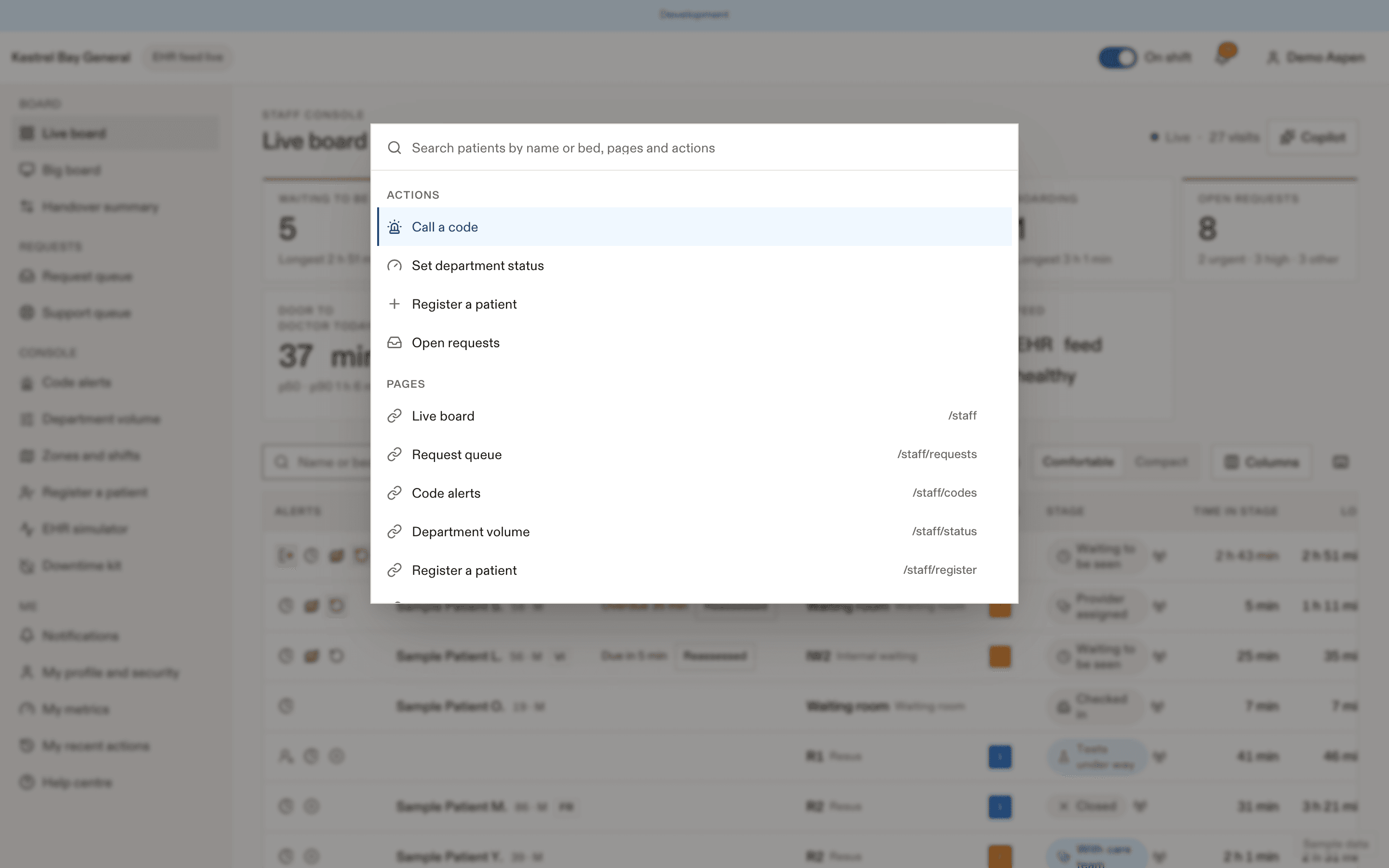
Cmd or Ctrl + K | Command palette |
Command palette
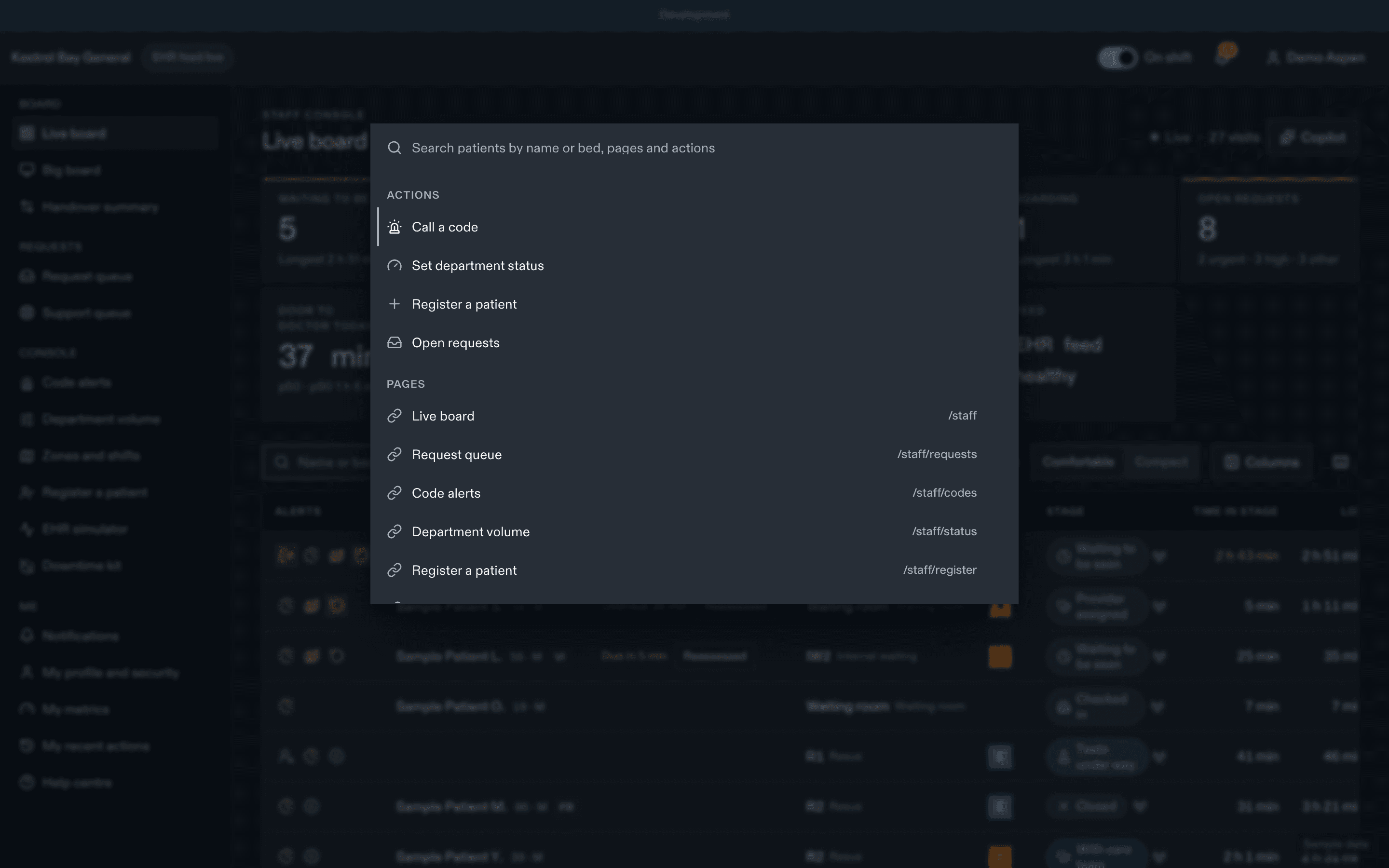
Search patients by name or bed, jump to pages, and run actions such as Call a code, Set department status, Register a patient or Open requests. It shows only what you are allowed to open, with confidential names masked.
Big-board mode
A full-screen board for the staff station, never for public areas: larger type, initials only by default, auto-paging every 15 s, a clock, no actions. It can run in your session or on a registered big-board station. See Big board and handover.
Audit
Opening the board is recorded once per session every 15 minutes. Opening a patient is recorded every time. See Privacy at work.
Dernière mise à jour le
Cette page vous a-t-elle été utile?
Sign-in and security
How staff sign in to EDFlow: accepting an invite, the password policy, two-step sign-in (MFA), Sign in with Microsoft, the idle lock, switching sites, sessions, and the companion app's biometric lock.
Patient detail
The EDFlow patient detail page: the header, the tabs (overview, tests, tasks, care team, requests, going home, sharing and access, activity), provenance of each fact, audited opening, and confidential and provisional patients.