My metrics for nurses
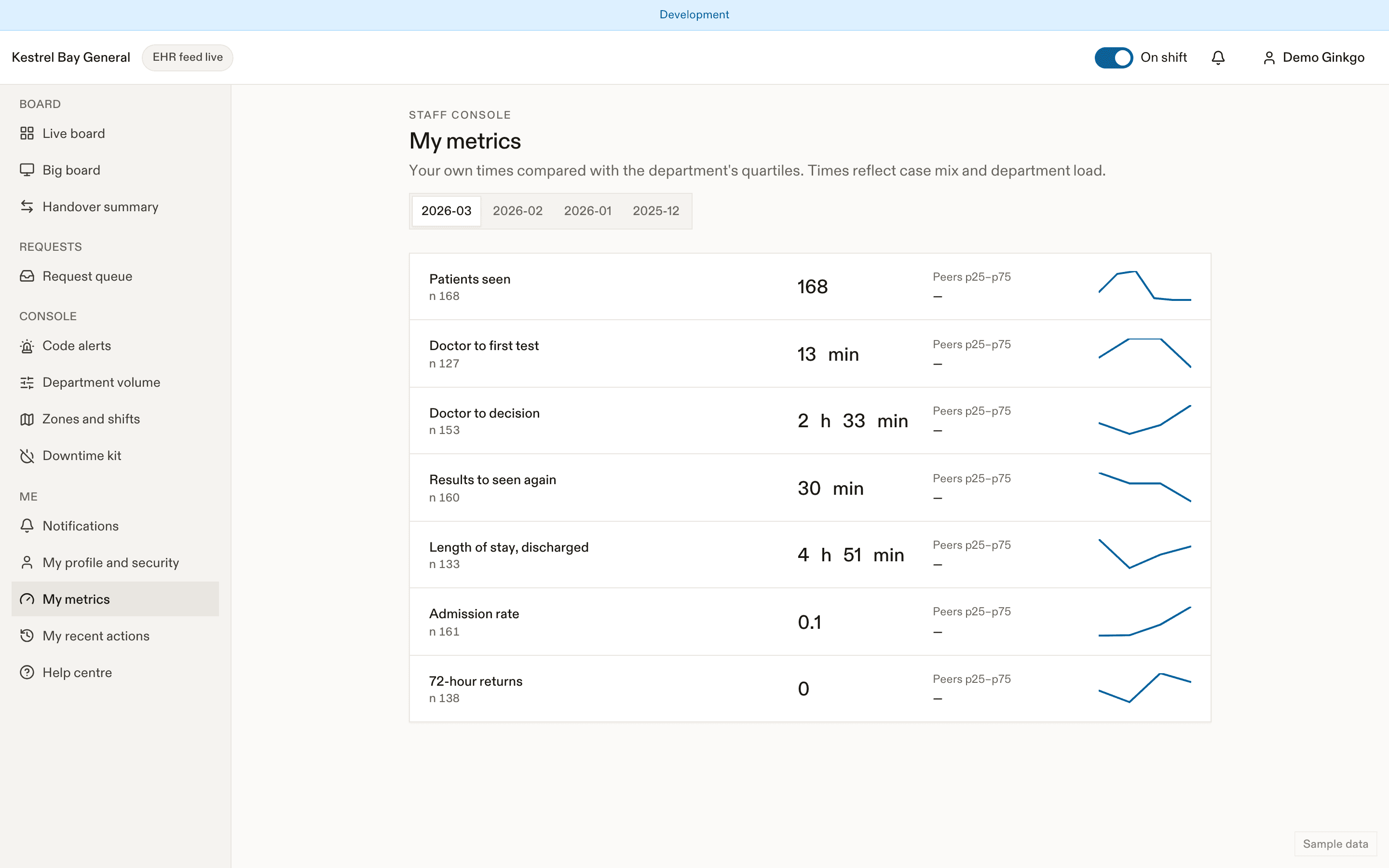
Nurse self-view metrics in EDFlow where the site turns them on: your request first-response times and the alerts you receive per hour, visible only to you.
- Désactivé par défaut
Some sites turn on a private metrics page for nurses. It is off by default. When it's on, open My profile → My metrics.
What you see
- Request first response: p50 and p90 time to first response for requests routed to you, by month.
- Alerts per hour: how many sounds and push notifications EDFlow sent you per hour on shift. This helps nursing leadership keep alert load reasonable.
What nobody sees
- Only you see your own values. There are no ranks, league tables or public displays.
- Managers see department-level request times, not yours by name.
Reading the numbers
Request times depend on your zone, the shift and how busy the department was. Use them to spot patterns (for example, a zone that gets many comfort requests without a support worker), not to compare yourself with others.
Related
Dernière mise à jour le
Cette page vous a-t-elle été utile?
Family links
See and revoke a visit's family links in EDFlow, lock sharing, pause updates to break news in person, and understand why sharing is unavailable for some visits.
Physicians
Physicians, residents, nurse practitioners and physician assistants in EDFlow: Assign me, Seen and Seen again, why the seen time matters to the patient's screen, NACRS PIA, and a quick-reference card.